Direct upgrades from 10.10.7 and 10.11.x to 12.0 are supported; intermediate upgrades are not required. Users running releases older than 10.10.7 are strongly encouraged to upgrade to 10.10.7 before migrating to 12.0.
Installed repository plugins (anything not built-in) should also be removed before migrating. Plugins will likely need time to adapt to the new database changes, so re-adding them afterward is the safest approach for testing.
Official plugins compatible with Jellyfin are available through the stable plugin repository. If you have changed to the unstable plugin repository please change it back.
Go to Dashboard -> Plugins -> Manage Repositories
Update the Plugin Repository URL to: https://repo.jellyfin.org/files/plugin/manifest.json
After migrating please perform the following steps.
Perform a full library scan to restore alternative versions
Run the "Optimize database" scheduled task
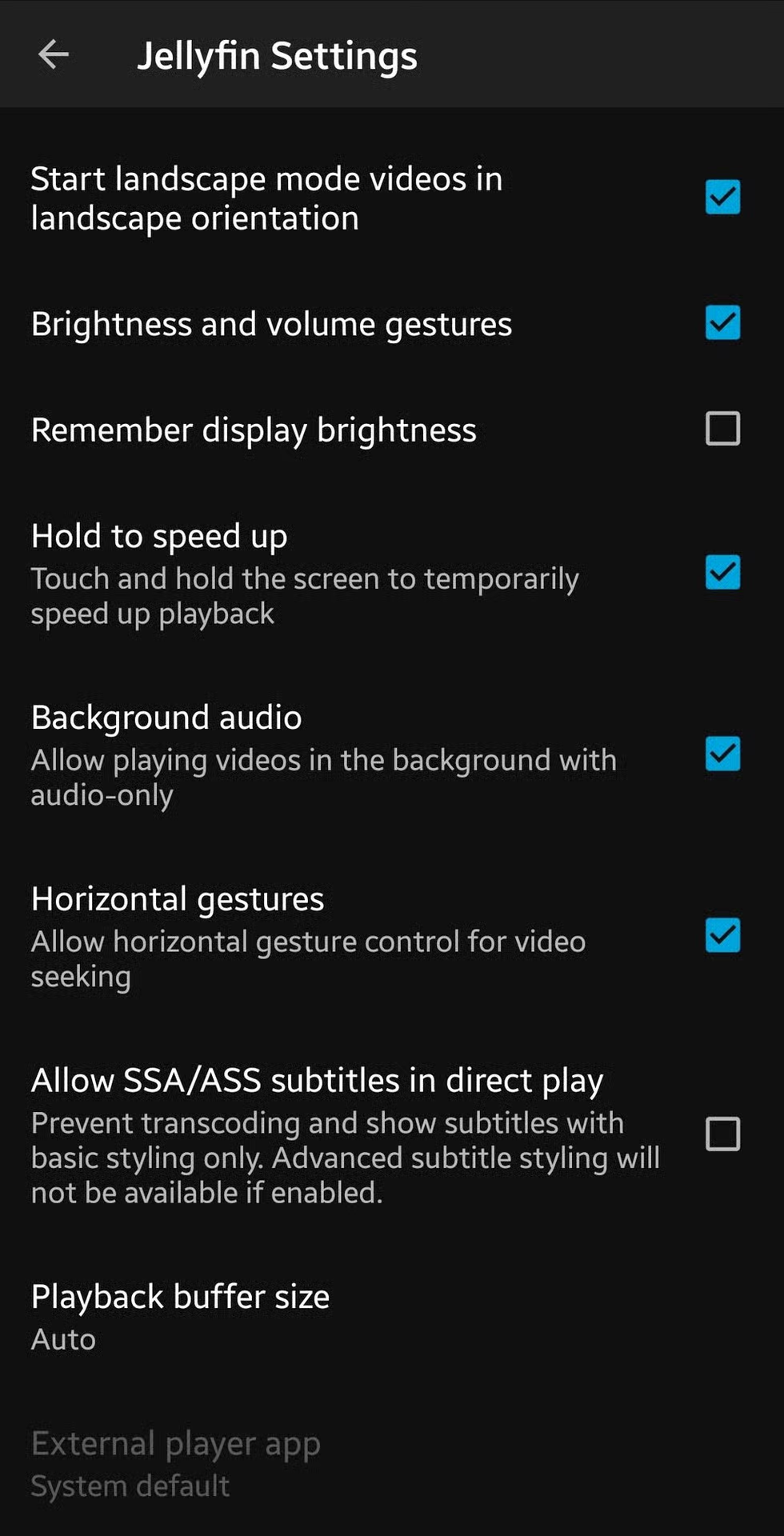
Go to settings > client settings, enable the background audio with the checkbox:
That definitely does not fix the issue. Not sure if it is just certain devices or Android versions or whatever that have that issue, but having that checked makes no difference for me in recent months. Even with that setting enabled, if I start playing a video then switch to another app, the audio keeps playing for three seconds or so and then just cuts out. The video keeps playing in the background, but no audio.
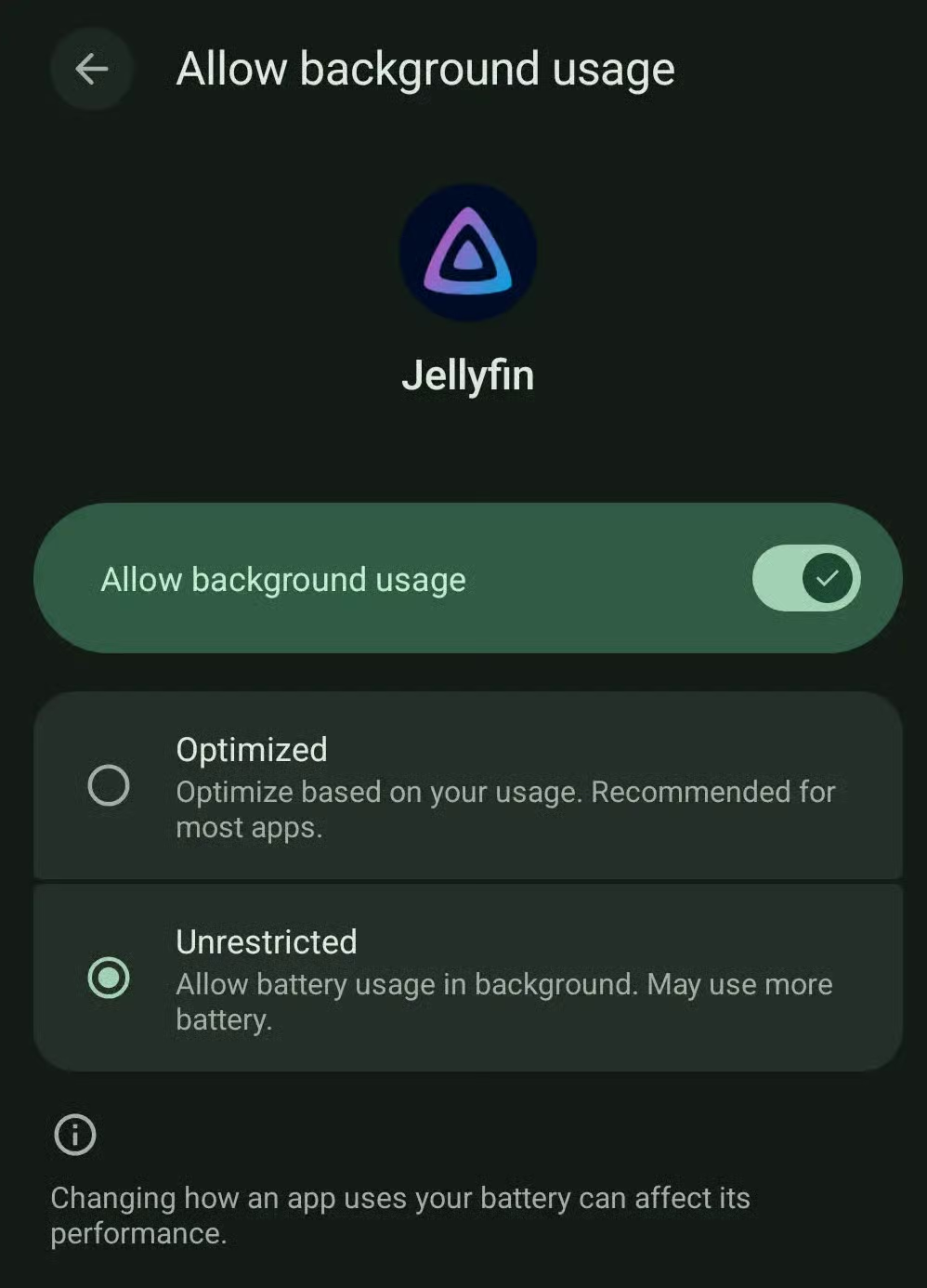
You can try streamyfin which is enabled by default, but what’s likely happening is that your phone is disabling it as a background app. I’d check your phone settings for power management/pausing background apps. I can tell you that audio only playback with the screen off and as a background app works just fine with JF (official client), I was just using it that way earlier today.
i wish they’d fix the black screen and not returning to home after episode ends issue/feature, and also not being able to scroll after manually returning home. can’t use old enough versions anymore where it still worked right (2023 versions and older i think)
I’ve been using Jellyfin for years, on different hosts. Music has never worked on any of my devices - there’s a bug where you try to play a track and it ignores you and plays the first track off the album instead. You can literally never play anything after that. To be fair, I haven’t tested this in six months, but it was a consistent bug for years before that and I’ve tried every client under the sun. Nowadays I use Jellyfin for video and Navidrome for audio instead and it’s all good.
I really just want the fireTV app of Jellyfin to not be so dogshit.
I got tons of cool plug-ins running on my server that work fine via desktop/mobile… but access the server using the FireTv app and you’d never know. No mediabar enhanced, no seasonal, no achievements or local ratings…
Idk if Wholphin will fully fit your needs, but that’s what I use on my FireTV and we love it. It looks sleek as hell and has sone plugins like Serr requests. Weirdly though, it takes longer to load an ep on there compared to my laptop or phone.
Can’t speak to that, I’m not involved. All I know is that,
Jellyfin server gets significant upgrades in subtitle capabilities and performance,
Jellyfin AdroidTV just released an RC that finally includes direct play for ASS/SSA subtitles,
and on Monday, I FINALLY resolved a hardware issue (faulty cable) that made my Jellyfin almost unusable whenever ASS/SSA needed to be played (and only in that situation. Fun!)
So yeah, I don’t know or really care about leadership change, I just know it’s gonna run like a rocket now 😄
Haha. Might have slightly exaggerated. But only slightly.
The Proxmox host in question has a 1Gbit connection to the NAS. (Unfortunately. The other hosts don’t have a GPU, but SPF+… Oh well, can’t have everything.)
At some point in the last couple of months, it must have been damaged, and negotiated down to only 100Mbit. This must roughly have coincided with the Jellyfin 10.11 update, since I remember thinking that it must be the cause, due to close proximity of update and first issues.
Anyways. For basically everything in my library, 100Mbit is fine. Streaming an episode NAS->Jellyfin and Jellyfin->TV at the same time basically never saturates the link.
BUT, from what I’ve gathered by digging through Jellyfin issues and PRs, there’s a separate issue where Jellyfin will pull the episode, and if you need subtitles extracted from the episode file server-side (to transcode them in, if the clients can’t play them), it will at the same time pull the episode AGAIN, and together with the Jellyfin->TV direction, that’s frequently enough that it saturates the link.
Symptoms is (was) either a 20-30s wait before the episode would start playing, or complete freeze.
However, I believe this particular issues has been solved for a while. I’m not sure, because I instead opted for the Subtitles Extractor Plugin, which runs nightly and pre-fetches all the subtitles and stores them on the Jellyfin VM itself.
Where it was still noticeable though was if one of [Library Scan/Trick-play Extraction/Subtitle Extraction/Media Segment Scan] ran while playing an episode, the server would completely lock up.
Long story short: cable swapped, 1Gbit, all issues gone.
The reason is the feedback we got after 10.11.0, which we first raised in January and confirmed in May. A release like 10.11.0 was, by any reasonable measure, a major release - it rewrote the library database - but the version number presented it as a minor update, and people upgraded with expectations to match. The leading 10. never changed and never told anyone anything, so all it did was push the number that actually mattered into the middle position and make “major” releases look minor. Dropping it means the first number moves when the release is big.
lol. All the Jellykins in here lost their minds when this was pointed out.
My guess is that people would call the 10.11.x update something like .11.x instead of the full version because “they don’t change the first number anyway” and it would cause confusion to call the next update version 11.x.x so they just jumped to 12
Edit: so I have two libraries, 4K and HD because of different viewing locations. Transcoding 4K to HD is not an option, hardware is too slow for that.
Now my multi quality tvshows get combined into one “view” per show which is nice. But it seems it still shows seperate episodes per quality and does not track viewing progress yet sadly or am I missing something?
I don’t think seer, sonarr, or radarr support that but in theory could. You’d also need your sources to have a good way to supply those details in a good way as well. I wish they had a good way to filter for languages now as I hate dubbed anything.
I don’t have the arr stack now, but when I fiddled with it a year or two ago I had to set one language. I ended up scrapping it because of it and just continuing with the streaming services. I also hate dubbed anything, but have small kids who want to see their shows in Norwegian. Switching them over to English on shows or movies they already know in Norwegian would be a great way for them to learn. Maybe I get to watch the Disney movies in English with them finally.
That’s not as common of an occurrence as multiple versions of movies, but I have sure had a few instances when I wanted that for a TV show episode as well. That is certainly a welcome feature that I am looking forward to.
I’ve tried multiple Jellyfin apps for TV and all but VoidTV refuse to play Atmos with DV. 5.1 works, but 7.1 doesn’t. Including the offical Jellyfin app. It’s odd because it used to work until it didn’t.
Same here with DoVi profile 7.
I installed CoreELEC on a USB stick and boot my player (Xiaomi TV box 3) from that if I need DoVi 7.
My guess: Anyone setting up and maintaining a JF instance should be comfortable doing the same.
Ho ! Thanks, I was quiet pissed with the way Jellyfin on android TV was so slow (maybe the embeeded android is to blame), I will try Wholfin to see if anything enhances
Please donate to your favorite client maintainer (if 3rd party) or another project.
The core team stated that they already have enough funds.
(Look at the funds that are still unusued): opencollective.com/jellyfin
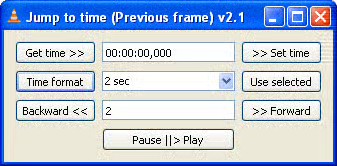
That is exactly how MPV does it. But from what I remember, VLC devs claim it’s impossible, so VLC only allows you to scrub forward frame-by-frame, not backward. You can skip backwards in three-second increments or whatever, just not frame-by-frame at all. It’s the main thing that keeps me using MPV as my default video player, because I frequently skip around videos trying to get a screenshot of the perfect frame to use to make a meme or something. Being able to scrub frame-by-frame in both directions is a big deal.
So, every time I want to go back one frame, I have to open that plugin from the menu and then respond to that dialog window? That is certainly more cumbersome than the way MPV/Jellyfin do it, where scrubbing is just a keyboard shortcut. Even if I assigned a keyboard shortcut to activated that plugin (I assume that’s possible), I still have to respond to that dialog box?
When I scrub through a video to get the perfect frame to screenshot, the experience is usually something like:
Pause video, no that’s not the right frame
Scrub back five frames, not right
Scrub forward one frame, looks closer
Scrub forward one frame, looks closer
Scrub forward one frame, that’s almost what I want
Scrub forward one frame, that’s worse, I guess I went too far
Scrub back one frame, settle on that one
Using MPV, that’s pretty simple because each step there is just a keystroke that takes zero effort and zero time. But if each of those steps also required me to respond to a dialog box, that would just make the process tedious.
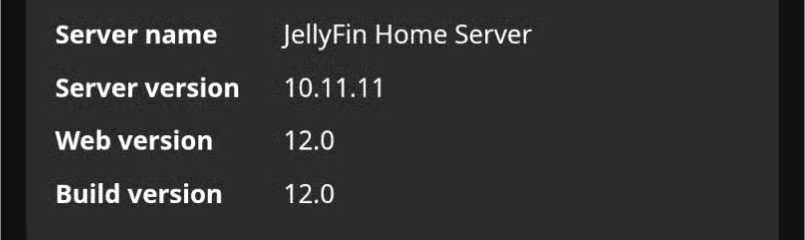
I did (both web and app), but that’s not it. It shows one of three shown versions as 10.11.11, even when I open the web on my phone where I don’t open the web ui, so the cache is out of question. It is no big deal, everything works as it should.
What kind of client? In browsers usually CTRL + F5 solves those kinds of problems for me.
In other cases (apps?) force quitting and restarting the client might help.
Tailscale is a pretty good option if said old people have an Android or Apple TV, not sure about availability of Tailscale on any other OSs. Run it on your server and the TV client, grab the Tailscale IP from the dashboard and enter [Tailscale IP]:[Jellyfin port] when the Jellyfin app asks for the server address. You could homebrew a VPN too. Only other option would be a domain name and a reverse proxy.
Only other option would be a domain name and a reverse proxy.
This is how I set it up for my family and friends. Works like a charm, especially if you have a dynamic IP. Everyone just signs in through whichever app they want to use.
this is the way imo. I also took the time to disable internal authentication and hook up authentik via the ldap auth plugin. so for my users, I can text them a link, they set up their credentials and verify their email, then they can sign in to jellyfin with the same creds and it automatically creates a profile and everything.
Are there different hardware requirements? I’m running on a raspberry pi 4, and as soon as it tries to load my movies the entire server crashes. This happened with the first release candidate, but seems to still be happening.
I agree with you but also about 90% of watching on my instance happens on smart TV’s. So even though I would like to have oidc supported for the occasional phone/pc user I would still need something basic that a TV can use.
Is anyone else experiencing slowness and sometimes freezing after updating? This is mostly happening when I go to my home screen, and the server CPU load spikes.