posted in Selfhosted

How is everyone dealing with Android 17's "Nearby Devices" change?

It took me a while to figure out why many of my self-hosted services were intermittently failing to connect on my phone after updating to Android 17. I eventually figured out there’s a new ACCESS_LOCAL_NETWORK permission which means the “Nearby devices” permission is now required to access devices on the same network subnet. For an avid self-hoster, this can be quite a bit.

I had my DNS configured so my public-facing server resolved to a local IP address when on my LAN. This meant that my web, immich, xmpp, NTP, jellyfin and DoH servers all resolved to a local IP address on wifi. On Android 17, it all broke without warning. No error messages. No asking for extra permissions. Just silent packet dropping.

I’ve solved it by configuring my public-facing services to resolve to my external (static) IP address, even when inside the network. I couldn’t make any internal services resolve to the external address (SMB, CUPS etc) because they are (obviously) not bound to my WAN interface.

I get why the change was made. A lot of apps were snooping around people’s networks to gather intel. A potentially massive privacy violation.

Has anyone else had this issue? Is this the cleanest solution?
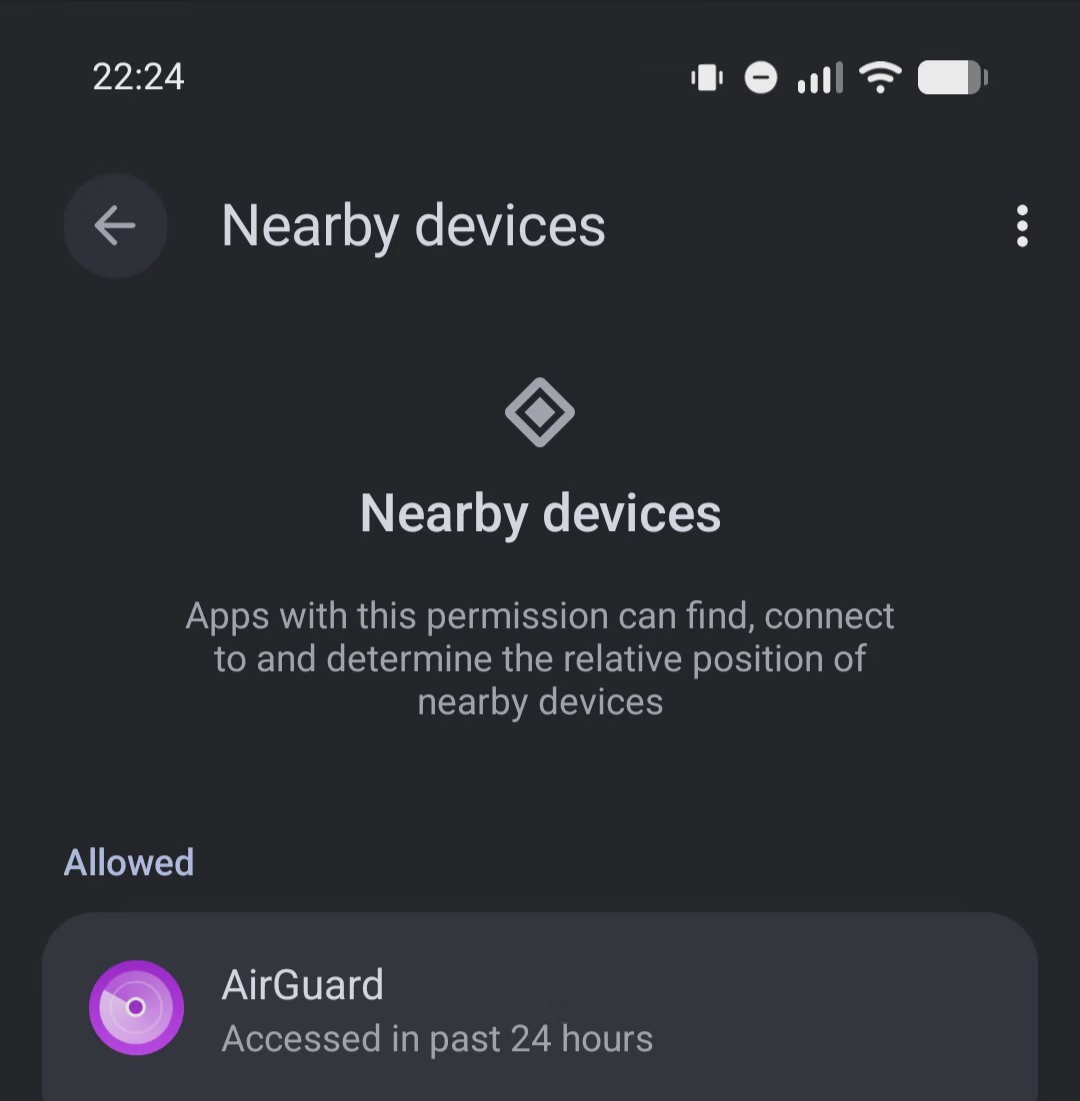
enPage

Replying to @⁨frongt@lemmy.zip⁩

I’m in the same boat as well, for some reason my music apps can’t seem to see my Google smart speakers, but strangely they can see my Nvidia shield and cast to that.

Looked through my app permissions I honestly can’t see anything out of the ordinary or plainly obvious. Both my speakers and android TV (shield) are on separate segment VLAN.

As for granting the permission, I generally like to grant on a app by app basis, lots of apps ask for internet access as a example but don’t actually require it to function. All my game apps for example are completely offline.

Replying to @⁨pHr34kY@lemmy.world⁩

Ran into this issue a few days ago, exactly the same way you described.

I am on GrapheneOS and figured it was something to do with a a setting where it’s blocking network access for my specific browser app. After reading your post I see it’s a android 17 feature.

Checked all the settings in my browsers related to DNS at first and was stumped for a bit, until I flipped on the nearby device setting and everything worked.

I also looked into the DNS settings under Network & Internet > Private DNS. Make sure your phone is using your local networks DNS server. Just make sure to understand the implications of changing this (especially when you disconnect from you’re home networks DNS). Also making sure your home DNS is not defaulting to your ISP DNS.

Two websites that help me sanity check myself

  • Dnscheck.tools
  • dnsleaktest.com

Replying to @⁨NarrativeBear@lemmy.world⁩

I self-host a DoH/DoT server and my local DHCP advertises it to local clients. It’s kinda cool because android phones on my wifi will use DoT when private DNS is set to “automatic”.

Private DNS sort-of broke while I was tinkering with internal/external IP addresses for nearby devices. It wouldn’t always connect when I specified my external IP (despite being available externally). I made it IPv6-only too. It wouldn’t be the first time something couldn’t handle it.

Replying to @⁨SkyNTP@lemmy.ml⁩

I think Firefox also gave me the first clue that something was up.

Native apps all have a backwards-compatible setting so it’s allowed by default. That will surely get dropped when Google bumps the minimum Android target API so newly published apps need to explicitly configure it.

I actually went through my apps list and disabled nearby devices for all the apps that don’t need it. It’s a good security measure. I just don’t like how it was rolled out.

Replying to @⁨giant_smeeg@feddit.uk⁩

Hey can you let me know where I can find more info on this? I am running GrapheneOS as I was having this exact same issue as OP a few day back.

On my browsers I have network access, but nearby devices was disabled.

I checked my private dns settings and granted nearby devices access to my browsers, which allowed me to hit my local self-hosted services.

Just wondering if there is a better way to achieve the same.

Replying to @⁨RickyRigatoni@piefed.zip⁩

Time flies… We are already 3 versions behind xD ! I don’t remember why, but there was something with version 16 that made me reluctant to go any further.

Bit change for sure, and not beeing able to downgrade anymore I guess ! Also the more you upgrade your OS version, slower your older phone gets ^^".

Also their design change every year and the need to find all your advanced option hidden somewhere else… Kinda tired from this hide and seek game !

Replying to @⁨possiblylinux127@lemmy.zip⁩

I’ve been on IPv6 years before Google turned it on. My ISP gave me a /48 and I’ve got different subnets for my WAN, LAN and guest LAN. I have a 4-port NIC so I could put a different subnet on each port.

I didn’t mention it in my first post, but I only made AAAA DNS entries for my internal stuff. I just enable IPv4 for the few services that actually need it.

Replying to an earlier post

I had my DNS configured so my public-facing server resolved to a local IP address when on my LAN. This meant that my web, immich, xmpp, NTP, jellyfin and DoH servers all resolved to a local IP address on wifi.

I unfortunately don’t have an answer to your question since I’m not on Android 17, but I do want to ask about this part. What’s the benefit of this? Does it improve speed when streaming on Jellyfin?

Replying to @⁨Rai@lemmy.dbzer0.com⁩

I don’t know how the others set theirs up, but I use “views” in bind 9 kb.isc.org/docs/aa-00851

Essentially, the DNS I run on a router-like box much like you describe uses a different database depending on whether you query from an internal IP address or a public address. For me, the advantages are that I can let devices on my local network declare their own names to DHCP and enter them in DNS without worrying about the outside world. Mu internal network doesn’t crash if my ISP changes my address, Certbot happily requests certs for any site with a public address, and that cert works seamlessly on the corresponding internal address, no wildcards or DNS challenge required.

Replying to @⁨Lenna@piefed.ca⁩

Routing between two interfaces on the same NIC takes nanoseconds. You wouldn’t notice a performance difference.

When I first set it up, I didn’t have a static IP address, so it would not be great when it changed. I also want my server to remain reachable locally if my internet goes down. I had different firewall/ACL rules for wifi too. For example, some of my internal websites only prompt for a login if you’re outside the network.

IPv6 has been awesome here. I have my server and clients on different /64 subnets in the same /48 block. The nearby devices on Android assumes only the same /64 is local.

Replying to @⁨pHr34kY@lemmy.world⁩

Acronyms, initialisms, abbreviations, contractions, and other phrases which expand to something larger, that I’ve seen in this thread:

Fewer Letters More Letters DHCP Dynamic Host Configuration Protocol, automates assignment of IPs when connecting to a network DNS Domain Name Service/System ISP Internet Service Provider NAT Network Address Translation PiHole Network-wide ad-blocker (DNS sinkhole) XMPP Extensible Messaging and Presence Protocol (‘Jabber’) for open instant messaging

[Thread #115 for this comm, first seen 27th Sep 2026, 20:10] [FAQ] [Full list] [Contact] [Source code]

Hachyderm.ioImran Nazar ~ عمران نزر (@Two9A@hachyderm.io)3.05K Posts, 306 Following, 284 Followers · Front-end #typescript developer and general keyboard tapper; author of Internet RFC 7168 (Hypertext Coffeepot Control Protocol for teapots); occasional plumber, more than occasional #c64 #retrocomputing enthusiast, terrible at classical #piano. Header photo is a verdant scene looking over the landscape near Buxton, England, taken from a single-track country road.

Replying to @⁨pHr34kY@lemmy.world⁩

Why are permissions so damn confusing? I say this as someone who knows why permissions are needed, such as location to find nearby devices. But why must we keep track of “permission X is for thing unrelated to X” in our heads? Now I haven’t tried to make a permissions system for the masses, so I guess I can’t say too much, but it doesn’t seem that difficult to just make the permission name relate to what it does and provide a short synopsis for it.

Replying to @⁨Joelk111@lemmy.world⁩

Google tries to make permissions easy to understand for end users, instead of making them detailed for tech people. The permissions “nearby devices” covers any method for reaching out to nearby devices. Previously, you had the permission “location”, which contained some ways of local access.

An app requiring nearby devices to connect to a bluethooth or other nearby device is more clear than an application requesting your location.

Devices in the LAN are also considered devices near you. For dumb end users, silently blocking it is more secure than showing a dialog, as people are dialog fatigued today.

Replying to @⁨pHr34kY@lemmy.world⁩

It works but I wouldn’t call it the cleanest solution, more a workaround. As far as I know only apps targeting SDK 37 are affected, older apps still get the permission implicitly. So the proper way would be to just grant “Nearby devices” to the apps that need it e.g. Immich or Jellyfin and if an app doesn’t ask for it that’s actually a bug and worth reporting, because it should request the permission as soon as the server resolves to a local IP. I also find the “Nearby Devices” title a bit misleading for apps that only need it to reach your own server, but on the other side it gives a somehow proper hint what the permission actually allows.