posted in Asklemmy

If you were to install Linux on a laptop for someone, what distro would you use?
My head tells me Linux Mint, but my heart says listen to your head. Why is this hard? 😂
posted in Asklemmy
If you were to install Linux on a laptop for someone, what distro would you use?
My head tells me Linux Mint, but my heart says listen to your head. Why is this hard? 😂

Replying to @wuphysics87@lemmy.ml
especially for new converts (or those that do not know what an OS is).. the curated store of applications makes it very easy to push people away from microsoft.
Replying to @wuphysics87@lemmy.ml
What is the persons skill level and are both of you OK with you picking up the slack?
Replying to @slazer2au@lemmy.world
She’s a pretty proficient windows user who mentioned looking at kbuntu. She can probably handle some rough edges on her own, but I have no interest in long term support. So probably mint 🤣
Replying to @wuphysics87@lemmy.ml
I was going to recommend a kubuntu lts, maybe help install flatpak support
Replying to @wuphysics87@lemmy.ml
I use kubuntu. It’s a good choice for people who don’t have experience but are able and willing to search for answers.
KDE defaults are solid and utilizes a lot of Windows muscle memory, and being based on Ubuntu means that it’s really easy to search for answers on virtually any question you might have. Plus widespread package support
Replying to @wuphysics87@lemmy.ml
Whichever one you wind up with, Dolphin as a file manager blows the monstrosity that windows has out of the water. For someone who’s eeked out some power/efficiency out of windows usage it should be very pleasant finding out the standard software available for Linux these can almost always make you more efficient with less effort.

Replying to @wuphysics87@lemmy.ml
Mint has been my go-to, except for a couple of people who ended up with pop!_os… mostly cause I showed them some options and that’s the one they thought looked cool lol
Replying to @TabbsTheBat@pawb.social
What are this options? I just switched to mint yesterday. I had a spare hard drive and a 12 year old computer not being used. The 120gb ssd is lightning fast compared to the old 1tb HD and it turned this old broken uselessness into a slick new machine. But I’m almost a complete newbie at Linux so mint/cinnamon it is.
Replying to @trainwreckhappening@lemmy.today
A lot of them are debian/ubuntu based ones. Mint, zorin; pop!_os used to be in the list as well, but less so now, since COSMIC is kinda under baked (even if I myself am a big fan)… then for people who know what a computer is I also usually throw in some non-debian distros like fedora/nobara, and for people I actively trust to be capable of using a computer (which is mostly my friends who work in IT/computing or related fields) and who run bleeding edge hardware they also sometimes had ones like cachy or endevour thrown in… the bleeding edge hardware feels less relevant now tho, with no one being able to afford a computer :p
Anywho, mint is fine, there’s no reason to not stick to it

Replying to @wuphysics87@lemmy.ml
Depends what their level of technical comfort is. A friend of mine just got switched over to Kubuntu because it was Windows flavored enough for him to make the jump. He’s more comfortable with tech but wasn’t a Linux daily driver prior to that though.
For others, yeah, Mint is probably what I’d aim for. It kinda depends on the target demographic.
Replying to @wuphysics87@lemmy.ml
My head tells me Linux Mint
my heart says listen to your head
My head tells me Linux Mint
Head says Linux Mint
Heart says listen to the head
Tiling WM Arch
Replying to @wuphysics87@lemmy.ml
Mint is always my go to safe suggestion.

if it helps, as a lifetime Windows user I installed Linux Mint on an old laptop a few weeks ago, and used it for a week while travelling, and it went well :D It’s just different enough from Windows to have a bit of a learning curve, but nothing too scary.
Replying to @wuphysics87@lemmy.ml
Are you committing to having her Linux setup to do everything her windows can do? Mint would be good at that point.
Replying to @wuphysics87@lemmy.ml
If like most people they only really need a browser, Linux Mint. If they’re more of a power user, let them try a few DEs (Gnome, KDE, Cinnamon, Cosmic, XFCE) and choose a distro based on which they prefer.
Replying to @wuphysics87@lemmy.ml
There is a good reason Mint is recommended as the no nonsense beginner distro. For someone more technical and willing to learn I might recommend Fedora.
One you get past those two distros you are pretty much in the realm where someone should be technical enough to choose their own distro and know what that means.
Replying to @stealth_cookies@lemmy.ca
I’m on maybe an old version of Mint at work and it is kind of miserable.
Icons don’t work right, the panel is weird, the software center is not very easy to use.
I’m hoping that new versions are better.
Replying to @wuphysics87@lemmy.ml
Does Mint have screensaver and locking issues with Cinnamon?
I install Mint on computers of people that don’t want Windows and that I have to help, but I personally use Debian and MATE. Recently I tried to use Cinnamon on Debian but the screensaver was not always working. Sometimes I was away for days and when I was coming back, my monitor was still on. And sometimes the screensaver got stuck, impossible to remove without restarting my session.
I have a friend that tried Mint too, and he basically told me the same thibg was happening to him.
I have not heard about this from other folks to whom I installed Mint, but since they’re all very basic users that turn off their computer every time they are done, it never came up.
It would be my only issue with Mint for beginners. If they leave their computer running and come back later, there’s a slight chance that the screensaver will either not be started, or very difficult to exit.
What the crap? Surely this can’t be a widespread issue?
Replying to @some_designer_dude@lemmy.world
I don’t want to spam multiple links with examples, but you can look this up on your favourite search engine to find multiple current problems with Cinnamon’s screensaver. It seems pretty common and that’s why I’m asking.
Here’s a link that’s from a month ago listing all the possible causes.
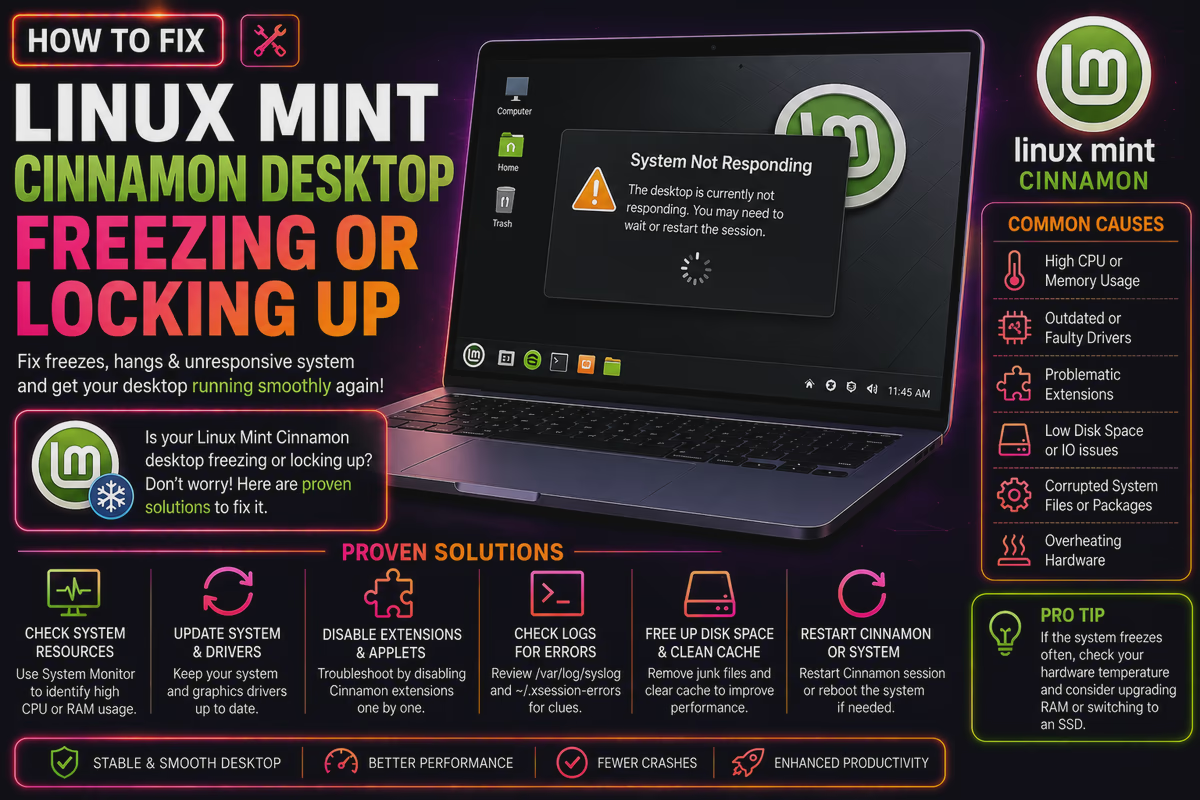 cloudhousetechnologies.comHow to Fix Linux Mint Cinnamon Desktop Freezing or Locking Up (2026 Guide)Linux Mint Cinnamon freezing randomly? Fix GPU driver conflicts, kernel issues & compositor crashes with these proven step-by-step solutions. 23 August 2026
My Couch PC runs mint, and sometimes I forget to turn it off.
I’m not running a classic screensaver though, it just turns of the video output after a while, and eventually the tv turns off too.
I haven’t had any issues with getting the video output back once I return, but the longest its been left alone is about 8h…

Never happens for me, across a laptop and three PCs
I believe this is an X issue, not a Mint issue. Most other distros have switched to Wayland, but Mint will use X until Wayland is mature enough.
Replying to @emergencyfood@sh.itjust.works
Not strictly a Mint issue, but it’s still sotfware from them.
The development of Cinnamon began by the Linux Mint team following the April 2011 release of GNOME 3…
github.com/linuxmint/cinnamon-screensaver/…/93
If this was the issue you’re talking about.
Replying to @wuphysics87@lemmy.ml
At my work, I convinced my boss to let us use Linux on a couple machines and, you guessed it: Mint. Everyone pretty much knows where to find things and it’s stable as a rock.
Replying to @wuphysics87@lemmy.ml
Fedora because a) it’s what I use so it’s easier for me to help them with and b) it’s organizationally big and stable.

Replying to @wuphysics87@lemmy.ml
Ideally it would be a laptop/distro pairing that is officially supported by the laptop vendor. For better or worse, I think most often the distro is Ubuntu or Red Hat.
I’ve never used for-fee subscription distros like Ubuntu Pro or RHE, but if someone had the money to burn and a viable use case, I wouldn’t stop them.
RHEL is great for servers, but not an awesome experience for a user workstation, IMO

RHEL (and I’m assuming Ubuntu Pro) is really more for like your company’s servers than an end user’s desktop. There’s really no reason to go that route unless you really need to get security patches for a super long time but won’t just upgrade I guess
Replying to @facow@hexbear.net
Agreed, these would be very niche for a consumer laptop. I have seen them available, though, specifically Ubuntu Pro for my Lenovo Thinkpad. Long-term driver support is the only reason I can imagine.
Replying to @wuphysics87@lemmy.ml
Linux Mint is by far the smoothest experience I’ve had so far in trying Nobara, Debian, Manjaro otherwise.

Hannah Montana Linux, obviously.

This is the only answer, regardless of the question.

Replying to @kurcatovium@piefed.social
Nah fucking hit em with the temple os.

Replying to @wuphysics87@lemmy.ml
NixOS and tell them to figure it out.
Whenever this question comes up, I think the distro is less important than the desktop environment. If they feel more comfortable in Windows, go with something that provides KDE. If Mac, go with Gnome. Once they get used to it, let them go through the rite of passage that is distro hopping.
That said, and I know everyone recommends Mint or Ubuntu, and they’re fine, but you could do better. I like the immutable distros for people who just want to use their computer without thinking about it. They aren’t able to mess with anything important that keeps the computer running, and as long as they restart the computer, it’s always up to date. It’s like a Chromebook, which is the level most people are with computers.
CachyOS, as it’s the one I’m using.
By installing it for them, I can only expect I’ll be also called upon to support it. Thus choosing the one I’m most familiar with right now.
Replying to @wuphysics87@lemmy.ml
Converted my non-tech wife to Mint without a single hiccup after her laptop crapped out - intuitive af for lifelong windows users - my kids will have never known another OS outside of their school issued chromebooks as they’re only just experiencing desktop environments
Replying to @wuphysics87@lemmy.ml
Likely either mint or popos
They tend to be the most liked by newcomers. Enough so that they don’t miss windows, or want to try something else a week later.
I think popos definitely deserves mention here. Cosmic has come a long way in a short time and the nvidia support is really helpful.
Replying to @wuphysics87@lemmy.ml
Bazzite for young people, Mint for old people would be my first thought

Replying to @Contramuffin@lemmy.world
OK I’m nearly 40 but you don’t gotta remind me I’m old 🤣
Replying to @wuphysics87@lemmy.ml
Bodhi!
I’ve been installing Fedora Silverblue on family member’s computers. No complaints so far. They’re all non-technical users.
Replying to @wuphysics87@lemmy.ml
Initially I went with Ubuntu for my father in law, but he wouldnt stop messing with it and breaking things. So, last time it broke I installed arch with gnome, and now he doesnt know how to break it. Its been solid for over 2 years now on his 2010 macbook pro.
Replying to @wuphysics87@lemmy.ml
If you want to do the least amount of tech support: Fedora Kinoite.

Replying to @wuphysics87@lemmy.ml
we have done this before and our go-to is Pop!_OS. it seems to be learned reasonably quickly.

Replying to @kivihiili@lemmy.blahaj.zone
Kind of astounding that someone still recommends pop OS after all the LTT videos of it completely borking.
Replying to @geneva_convenience@lemmy.ml
eh if that’s what you’ve seen then that’s totally fair. we don’t watch LTT and in our experience it works pretty okay. although that is with older hardware of course :)
what’s your pick?
Replying to @kivihiili@lemmy.blahaj.zone
Linux Mint or I’d try out Zorin OS
Replying to @wuphysics87@lemmy.ml
I work in an environment with a lot of people that are not very technically skilled. We run Ubuntu (GNOME) in their Laptops.
If I install Linux for family members etc. I install Ubuntu.
My reasoning is:
Ubuntu/.deb based systems are very wifely supported. If you google “how do u do X on Linux” most likely an answer tailored to Ubuntu may come up. Which is however mostly important if the Users will be doing some stuff themselves.
Also, I believe Desktops make a huge difference because that’s how people interact with their Computer. And in my opinion it’s not super important what desktop you start people on, its important it stays cohesive. My parents PC’s run MATE for that stability* (and for the “classic” usage scheme they learned back in the XP days) but even GNOME has a pretty stable usage paradigm these days …
Tl;dr: My reccomendation always is Ubuntu with a Desktop that resembles what they are used to.
* though with the MATE project seeming less active these days I’ve been looking for an alternative with low switching friction

Replying to @wuphysics87@lemmy.ml
A Fedora variant of some sort since they are up-to-date in terms of features and have a low learning curve

My mom won’t update Mint despite me showing her how, so I switched it to CachyOS since I’d be the one updating it anyway. At least it’s not nearly as annoying for me to work on.
Replying to @daggermoon@piefed.world
Guess it’s too late now, but mint has an option for automatic updates.
Replying to @wuphysics87@lemmy.ml
I’d put LMDE on it, the familiarity of Mint with the stability of Debian and no fucking snaps.
Replying to @wuphysics87@lemmy.ml
I put Mint on my brother’s laptop when his hard drive died, he’s not a techie sort of person at all and has had no complaints.

Replying to @wuphysics87@lemmy.ml
Fedora Atomic.
Updates are stable.
They can’t fuck it up.
Replying to @doomsdayrs@lemmy.ml
Respectfully huge disagree. Standard Fedora would be better (and is my personal recommendation) since a bunch of administrative command syntax would be different with Atomic. The internet’s going to show troubleshooting advice for the former 9 times out of 10.
Replying to @bleustenns@lemmy.ml
They’re both terrible choices for a beginner - constant version churn every six months confuses newcomers, some initial brokenness after every new release - Fedora would be the last distro I’d install.
Replying to @ggiesen@lemmy.ca
What would you suggest instead? Those initial roadbumps with major releases shouldn’t happen at all really, but I don’t personally see bi-annual version updates as a confusing thing since major companies are commonly shipping yearly version updates now.
Replying to @bleustenns@lemmy.ml
Mint. They can stay on the same release for 5 years, if they desire, or upgrade every 2 if they want. Binary-only drivers are easily integrated, it has a polished experience, integrated backups, and anyone that has used Windows can navigate Cinnamon relatively easily.
Replying to @ggiesen@lemmy.ca
Personally I can’t recommend Mint in good faith due to their heinously slow downstream update ‘schedule’ for apps they provide (and because Cinnamon feels half-baked still) but other than those issues Mint’s great.
Replying to @bleustenns@lemmy.ml
You just described exactly why I would install an Atomic distribution.
So they can’t run something they don’t understand, and end up nuking their install.
The biggest differences in usage (dnf vs rpm-ostree) essentially function as a filter to prevent fuckups.
Everything I value is against “how long it will work without issue”, “how quick is an update”, and finally “how much effort do I need to help maintain it”.
Atomic systems have netted me positives on all my values. The people I know who used atomic, have only approached me due to edge cases such as specific laptop fan issues, which weren’t hindered by the atomic system.
Replying to @wuphysics87@lemmy.ml
I would definitely choose Linux Mint 100% :p
I started off with it and its learning curve wasn’t too steep. It uses Calamares for installation, features a built-in app store, and is very familiar to those coming from Windows.
Replying to @wuphysics87@lemmy.ml
I’d say mint is great for non tech people (90% of the time it’s the DE and GUI apps that are important rather than the distro, but mint has good ones by default). For former windows power users I’d recommend CachyOS or Fedora. Either way, you can boot from USB for any of these as a live demo; I have images for all 3 + memtest on my ventoy USB.
Replying to @wuphysics87@lemmy.ml
Linux Mint Debian Edición if the laptop is not brand new.
Replying to @wuphysics87@lemmy.ml
Fedora. That’s what I run on my laptop and it’s great.
Replying to @wuphysics87@lemmy.ml
Mint, without question. A polished, conservative, stable experience with Ubuntu’s broad compatibility baked in, and a familiar desktop experience. Few other distributions can deliver that. I’m very technical myself, but past the age of wanting to tinker with every little thing; I jist want an OS that is stable and gets out of my way to let me get things done - and Mint delivers.
Replying to @wuphysics87@lemmy.ml
Whatever you are comfortable with supporting.

Replying to @wuphysics87@lemmy.ml
Fedora Silverblue

Replying to @wuphysics87@lemmy.ml
Arch, no gui. Let 'em rawdog it from the CLI
Replying to @hanrahan@slrpnk.net
Linux from scratch you mean?
Replying to @prenatal_confusion@feddit.org
Gentoo FTW. Just give them a bootable USB key.
Replying to @TBi@lemmy.world
Pfff, when I was young we didn’t have package managers. You have it too good.
Replying to @prenatal_confusion@feddit.org
Back in my day we programmed with punch cards!
Replying to @TBi@lemmy.world
You had a punch? We had to lick the holes into steel plates.
Replying to @wuphysics87@lemmy.ml
I installed Aurora cause immutable and auto update so hard to break anything. And normal user only need Browser, LibreOffice and maybe Thunderbird
Replying to @MadameBisaster@lemmy.blahaj.zone
I think this what I came up with last time I considered this question, and I also wonder if I might want to use it for my next machine myself. Do you have a lot of experience using it? Do you feel like it performs pretty well? (I just have concerns that everything being containerized with flatpak and docker might affect that…)
Replying to @blackbrook@lemmy.ml
Have Aurora on my thinkpad and so far it was super reliable. But I dont power use that its just for mail, libreoffice, browsing
Replying to @wuphysics87@lemmy.ml
Something imutable and auto updating, likely Fedora based because that’s what I use.
Replying to @wuphysics87@lemmy.ml
HML if it’s for someone else.
Replying to @NigelFrobisher@aussie.zone
HML
Hold My Lard?
Replying to @helix@feddit.org
Hannah Montana Linux

Replying to @wuphysics87@lemmy.ml
CachyOS with KDE, it works well rounded and has easy to use apps to maid arch super easy and if you need help there’s a convenient discord server filled with helpers, it’s well documented, and we use it so if they need help it would be easier to guide them through things. Heavy recommend. Plus if they don’t like pacman they can always get the flatpak store
Replying to @GarboDog@lemmy.world
I love cachyos with KDE! Not sure if I’d recommend it to a complete noob, but if they’re familiar enough with computers in general, then go for it!
Replying to @Ibuthyr@feddit.org
Thats totally fair, its what we recommended our partner who is a complete noob as-well and they really enjoyed it! The only set up thing we had to help with was the FsTab situation with multiple drives.
Replying to @GarboDog@lemmy.world
That was my only initial struggle too! The rest is so comfortable, coming from Windows the whole experience is just so much better and I’m a total Linux beginner myself. But I was somewhat of a Windows power user, so the transition wasn’t bad at all.
Glad to be rid of Microsoft. I just miss DxO Photolabs (because fuck Adobe). Haven’t tried Darktable yet but the workflow supposedly is a bit cumbersome.
Replying to @Ibuthyr@feddit.org
“I just miss DxO Photolabs”
Heard Rapid Raw might be a good alternative though i can’t say for sure since we don’t edit raw photos too often. Might be good to check out, At the very least!
Also yeah, but so glad there’s good documentation for fstab. Wish there was just an option for Dolphin to auto add drives to fstab for you with a context menu button or something
Replying to @GarboDog@lemmy.world
Thanks! Rapid Raw looks good, I’ll give it a try!
Replying to @wuphysics87@lemmy.ml
Basic Debian
Yes, it is a bit behind the curve but it is solid, it works and can provide a solid environment for the average run of the mill user.

Replying to @wuphysics87@lemmy.ml
Depends on the user. An older family member, Linux mint. A gamer, cachyOS. Otherwise fedora could also be an option. But in most cases, the person would choose and install a distro themselves if they are interested and that means that mint becomes the most common answer to the question.
Replying to @wuphysics87@lemmy.ml
Mint
Replying to @wuphysics87@lemmy.ml
Debian. I want that thing to be so stable they forget they ever had problems.