This is not a driver update. This is adware that is automatically installed with the device being connected. It is the same as how synapse is automatically installed with Razer products. If it was a driver, you wouldn’t be able to uninstall the software and have the device still work, not that a monitor needs a driver anyway.
I believe they were claiming it is installed the same as a driver, not that it’s a driver in the literal sense. That was my understanding of it too, so is that wrong? Surely Windows looks for drivers, downloads them, and this gets installed alongside. If it is not listed as a driver then why is Windows installing it? Is this a Windows issue of giving companies the ability to install optional crap or is it a company issue of hiding optional crap inside their “driver” packages?
Honestly, fridges are a total crapshoot these days. If you have a 15+ year old fridge, never replace it, get it repaired, the quality level in new fridges is terrible.
New fridges are consistently terrible because they share so many shitty parts across brands.
Improvements in efficiency were initially a good things but combining them with going cheap on manufacturing has made everything trash. They chase a .01% improvement while aiming for the thinnest possible materials and skimp on skilled welding so everything falls apart. If any company makes something solid and reliable it gets bought out and the label used for trash.
Depending on the repair, it can be cheaper to buy a new fridge. Most modern refrigerators aren’t designed to have their compressor easily replaced for example.
I mean, it’s possible, if you really fuck it up in some way, but not from regular use.
Replacing the compressor once is still going to be cheaper than replacing a fridge every 5 years.
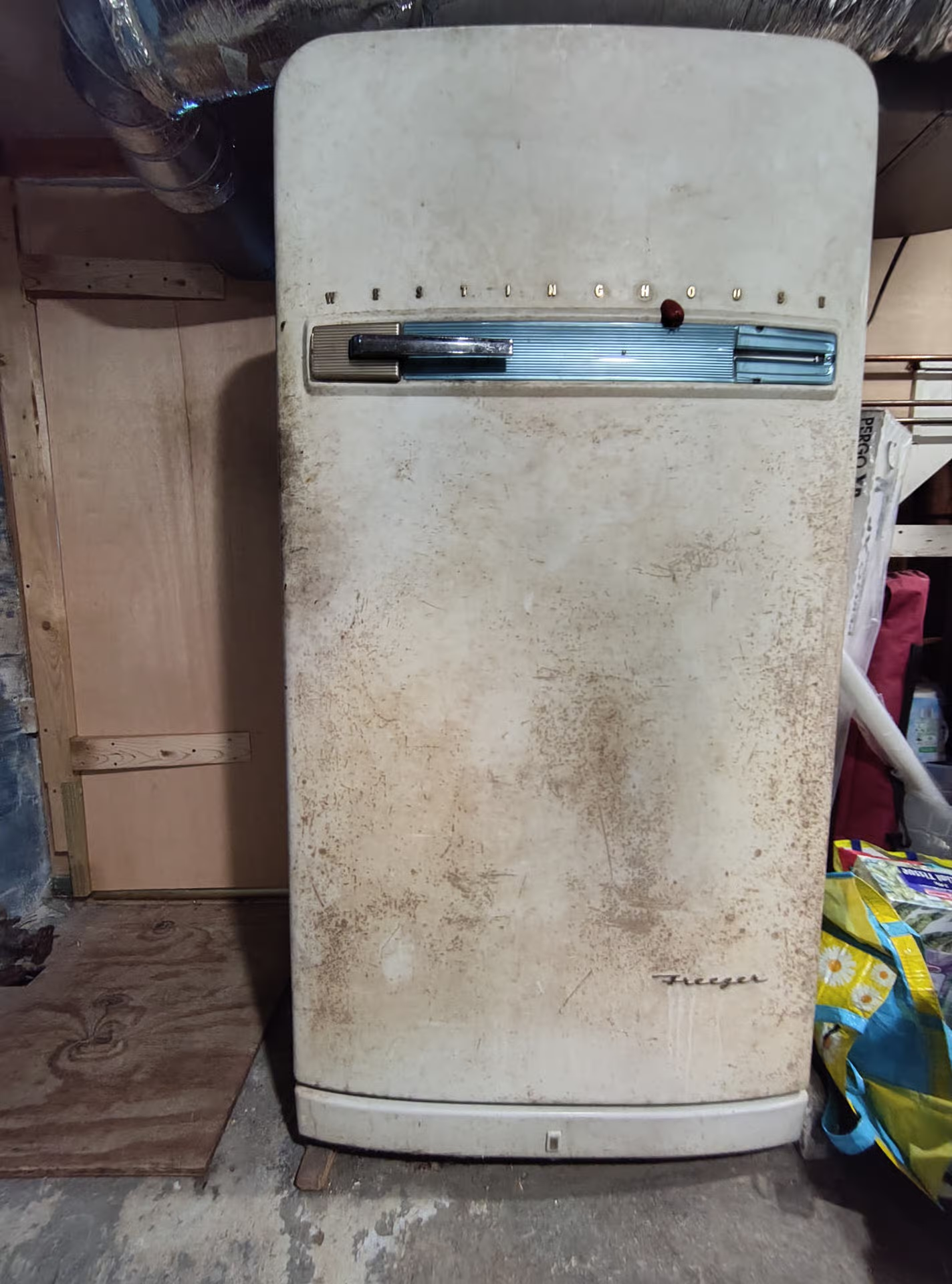
In my basement I have a freezer from the 60s. It needs to be defrosted every year or two, but aside from that it’s never needed servicing, not once. I’m telling you, the older it is, the longer it will last.
In my kitchen I have a replacement fridge because when I got three estimates to fix my 10 year old LG, they were all more expensive than simply buying a new one. I really tried to get it repaired because I liked my old fridge, and finding a new one that fit the space properly was going to be difficult. But the repair estimates were all more expensive than buying a new one. And the new fridge came with another 10’year compressor warranty. 🤷♂️
I won’t be surprised if after ten years this one fails too.
Also, shopping for kitchen appliances sucks because all of the brands are owned by just a handful of manufacturers now. For example, Whirlpool, Kitchen Aid, and Maytag are all the same company.
I already had it set, and so far my LG monitor hasn’t caused an LG software to be installed. But I’m on Windows 10 and I guess there’s a chance this software is only for 11.
Probably reliable until the next “feature and experience update” where they move or remove the setting and default it back to allow for all users again and all the soulless advertisers cum their pants because their malware delivered impression counts just went up again
And no, this isn’t happening with normal monitors just those with an OS.
Source? None of the articles I’ve seen have made that connection. And nothing about the method LG is using requires an OS on the monitor.
Edit: In fact, AFAICT, the model which they explicitly investigated and reproduced this issue on does not have an OS. So unless I’m mistaken about that, you just pulled this info out of your ass.
To add to this, below are the group policy and registry locations to change this setting to do the same as the comment above in order to allow for automation. Of course with the disclaimer that you should only use these if you know what you are doing.
Group policy
Computer Configuration -> Administrative Templates -> System -> Device Installation -> Prevent automatic download of applications associated with device metadata. Set the policy to enabled.
Registry (also works on Home edition)
HKEY_LOCAL_MACHINE\SOFTWARE\Policies\Microsoft\Windows\Device Metadata. Create a REG_DWORD within called PreventDeviceMetadataFromNetwork and set the value to 1.
If you could have nothing but pure intentions… that’s still a bad way to go about getting users to update. Users choose to not update to avoid getting fucked by Microslop.
Users choose not to update to avoid rebooting. The average user barely even knows what an OS is. They just know that if they reboot, they’ll lose their 347 Emotional Support Chrome tabs. Lemmy tends to be fairly tech literate, which means conversations about tech often involve the Average Familiarity problem:
XKCD 2501 is second nature to us internauts so it’s easy to forget that the average person probably only knows XKCD 1053 (Ten Thousand) and XKCD 386 (Duty Calls).
Chrome (and Firefox and probably every other major browser) has reopened tabs on restart for years now.
Other programs, not so much. Windows did add the feature to reopen programs fairly recently, but most of the time that means just starting the program, not actually restoring your session.
Vivaldi also does this well, and Opera before it back to at least 2001. XFCE opens the programs too but the programs themselves don’t remember state, even if gracefully closed by a normal reboot. Except Krusader which seems to remember my tabs from like 3 years ago and I have no idea how to get it to update.
Oh and 4k remains the bane of my existence with getting my shell to remember 2x scaling is stupid hard, and I have to launch special scripts to inject the 2x scaling in the launch options or environment variables. I should ask AI why my Alma 9 is being dumb.
Display Port has fancy features like Display Stream Compression where the driver compresses the image going to the screen.
The solution would be for MS to move those features into Windows rather than allow manufacturers flexibility in implementation. MS would get bad publicity for monopoly and then have to deal with fixing Windows for every off brand monitor because the manufacturer didn’t follow the standard exactly.
Microsoft would fuck up their implementation of the standard, monitors would all be designed around Microsoft bugs and then OSs that implement the standard correctly have to break their stuff so that Windows monitors will work.
How about we don’t compress our local Fricken wired video to our monitor. I swear I just want modern dumb VGA again - having to fight the auto smart crap is such a pita.
I am worried that soon we will need a “decent enough to buy” list because it will be difficult to find anything that is not on the “never buy again” list.
There are only a few companies that make the actual panels (regardless of how the finished TV or monitor was branded), and two of the biggest (LG and Samsung) are the worst offenders in terms of enshittification. It would not take much at all for the availability of new non-enshittified TVs and computer monitors to drop to literally zero.
But honestly, I already switched on my PC and would like to switch to any open distro on my phone as well, but I’m worried that bank applications won’t work on the “unofficial” system.
Quite a few banking apps work on Graphene OS. My bank isn’t listed and it works on Graphene too (I really should contribute to that list). The big downside is probably having to buy a new phone for it but if you need to upgrade anyway it might be worth considering. The only app I’ve run into so far that didn’t just work was the Target app but it works with a bit of tinkering. I’ve only been using Graphene on my phone for two weeks now but all of the apps I used on my old phone are on here and working.
I’m not sure there are any TV manufacturers that won’t try to fill your screen with ads and track what you’re watching, you just need to make sure your TV can’t access the internet.
That isnt enough since even dumb displays like LG monitors used Windows itself to install unwanted software on people’s PCs. Would have to actually disable that setting in Windows or use Linux.
The problem was you could do the right thing of keeping it offline, but that it used Windows to install unwanted software. Of course, solution is install Linux, but for the average user who decides to hook up their laptop and is using Windows they’d end up with unpleasant software installed.
And it affected LG monitors too, which means Windows PC users were affected.
gpedit.msc -> Computer Configuration -> Administrative Templates -> System -> Device Installation -> Prevent automatic download of applications associated with metadata
This is the type of stuff that leads to auto installs of applications such as logitech, razer, and in this case LG companion app.
Can’t really rely on ltsc, since it was utilizing Windows driver install process so any device that tries to do what LG did is a risk. Its why people with LG monitors found that app installed despite not having smart TV functionality.
This is such a nothing statement from Microsoft. I mean good on them for asking LG to remove the adware for Mcafee specifically but they don’t say anything about keeping this stuff from other auto-installed apps or making the apps ask for user permission (let alone not enabling this bullshit by default).
Microsoft responds to accusations that they are selling back door access to their OS, by issuing a vague and obtuse statement, that kind of maybe says that they asked the offenders to stop making the back door’s existence so glaringly obvious.
We’ve connected with the team at LG and as an immediate next step, they have agreed to disable the McAfee pop-up from their app. We appreciate LG working with us toward a shared goal of a better experience for our mutual customers. We will keep improving here with our ecosystem partners.
Corpo speech is awful, but this AI corpo speech somehow is even worse. Someone literally asked AI to come up with some transparent lies to make people believe that they care
The McAfee ads are just a symptom of a much bigger problem that is Windows allowing 3rd parties to install malware on “your” computer without your consent, or even your knowledge. Which makes Windows itself malware.
We need to be the one in control of our computing for it to be ‘our’ computer, instead of Microsoft’s. That requires being able to change what it does via the source code, and sharing those changes with others. Windows is proprietary, no source code and it’s illegal to share it - it can never be ‘your’ computer like that.
That’s great. You shouldn’t have to disable this. You should have to enable it. But this again is completely in line with what all these tech companies do. They add these new controls but do not notify the user about them and do not ask about them. It’s the user’s responsibility to periodically comb through the 3000 system settings on a regular basis to ensure they haven’t added anything.
In the video, editor-in-chief Steve Burke said that the publication paid $1,200 for an LG UltraGear 3GX900A-B gaming monitor (the monitor’s price dropped to $600 two days later, Burke said) for testing and replicated the behavior “several times” across “multiple” Windows 11 systems.
After LG Monitor App Installer was installed, a pop-up appeared on the screen’s lower-right corner “on every single boot,” Burke said. Most of the time, the pop-up was a McAfee ad. The publication also reported seeing ads for LG Switch, LG Calibration Studio, LG Dual Controller, and LG Channels on rare occasions.
That right there is enough for me to never buy LG again. $1200 monitor that forces adware on your system without ever even asking to install it? Then there’s this…
Once the app is installed, “LG technically possesses permission to use ‘all system resources,’” as well as to “collect geolocation, device data, online activity, contacts, user credentials, transactions, and more,” Burke said.
Cool, a new way to smuggle viruses into corporate environments. Everyone makes sure to disable USB sticks, but you can apparently do similar stuff via HDMI or DP?
Yeah they claim it’s safe because it’s through their store, but isn’t this a direct path to a supply chain attack? One app using electron has one bad npm dependency and it auto installs and updates on every machine? This seems like a security nightmare scenario.
Bu hey marketing gets to put their shit in front of everyone’s eyes so who cares.
Any statement by Microsoft that doesn’t include, “so we banned them from publishing auto-installed drivers for a year” is an insufficient response to this crime.
“Yeah, so we punished our end users because of something a manufacturer did.”
Like, I get the sentiment. But “no pushing drivers” ain’t the solution.
I also have to wonder if M$ can do that? If the drivers are being loaded by the monitor and not something like windows update, M$ has virtually no control over it.
punished the users by having them install non-essential drivers manually?
If the drivers are being loaded by the monitor and not something like windows update, M$ has virtually no control over it.
the drivers are not loaded by the monitor. they are loaded by windows update. like when your motherboard loads bloatware into your windows install, that too is actually windows update doing it for the request of the motherboard. it would be pretty wild if peripherals could install random software without coordination of the OS
I mean, they absolutely do. You can usually get away with the generics but I’ve run across my fair share of monitors that support minimum resolutions until the appropriate driver is installed.
This is the problem with Display Port / HDMI. VGA was so much better in a lot of ways. Video goes out, monitor displayed it or didn’t but no “you don’t have some special software to do a resolution”. None of the "oh I have to unplug it and replug it or reboot to wake the stupid video port up. You just plug in cable.
Display port is a bunch of annoying things that are unnecessary IMO and they refuse to fix.
Don’t use Windows? No good reason to use Microsoft as a consumer OS anymore. Alternatives exist. Corps only respond to money. Don’t use or buy Microsoft or LG products. As long as you use MS the shitshow will continue. Complaining does nothing.
Enterprise or commercial products might still require MS.
Linux, Mac, BSD, Haiku, ReactOS are just a few operating systems that will work.
Free and “it just works” flavors or Linux are Fedora KDE and Mint. Haiku and ReactOS are still works in progress.
My understanding is that LG broke the TOS and Microsoft asked them to stop instead of penalizing them under the agreement they broke. They wouldn't do this for the average consumer and so the average consumer should jump ship to something else.
If a company is doing something malicious to it’s customers isn’t there a thing already to deal with that company and protect the customers? Thought it was called the government and it exists only because the said customers pay like half of their income for that government thing to protect them.
Most ppl doesn’t want this but won’t make research before a buy. So executive at LG dont have clear data that show it and so it continue. And competitor see this and think why aren’t we doing the same.
We litteraly live in a world where we have ads in subscription for streaming service.
The normal ppl have a really high tolerance to bs
I guess this shows how out of touch I am because how the fuck is a peripheral auto installing software on my computer in the first place? how does Microsoft allow that?
Old school way was installing peripheral, or even sometimes internal hardware drivers and apps, manually from the vendors website or disk. Modern Windows checks your hardware and the vendors send MS updates to the MS “repository” of drivers and apps. As part of the auto updates Microsoft pushes your system will be fed vendor updates for your hardware.
For the layperson this is helpful, but it is annoying as heck when you have your own application that needs a specific driver version and windows keeps trying to overwrite it.
Many years ago, when I was a PC repair tech, software that would behave like this was generally considered to be malware. Seems a little ironic that they’re McAfee ads.
Not really surprised though. That’s just how the Windows ecosystem is. I’ve never seen any other OS constantly support so much weird advertising bullshit all the time.
My brother got a new laptop some years back. Norton was pre-installed.
It literally hijacked the system and blocked internet access until the subscription fee was paid. Getting AVG antivirus on the laptop via USB ended up killing that ransomware thankfully.
McAfee has always been more of an advertising application than antivirus. A free version would constantly try to scare you into buying it. A paid version always reminds you that you could be paying more to clean your PC, including showing perfectly normal settings as “potentially unwanted“. Even if you pay for all the bells and whistles, you’ll need to click away constant reminders of how good a job it is doing at protecting you.
But, to be fair, the other big names do exactly the same.
The ad is in the driver app. Whatever extra functionality it provides, it wouldn’t have been available for Linux anyways. But you can just not install the app on Windows. And if they had one for Linux they could’ve put ads in there as well.
I still have 24" DELL monitors that refuse to die. So I continue to trust them for my new one.
You also never know, I may need a VGA/svideo/component/DVI port again some day. And that is all on one monitor, including HDMI and Display Port.
I see this whole LG affair as a good thing. Windows users get shown how fucked up their OS and ecosystem is by this, and LG monitors will drop into the discount zone for users who have Linux and don’t have to deal with such shit.

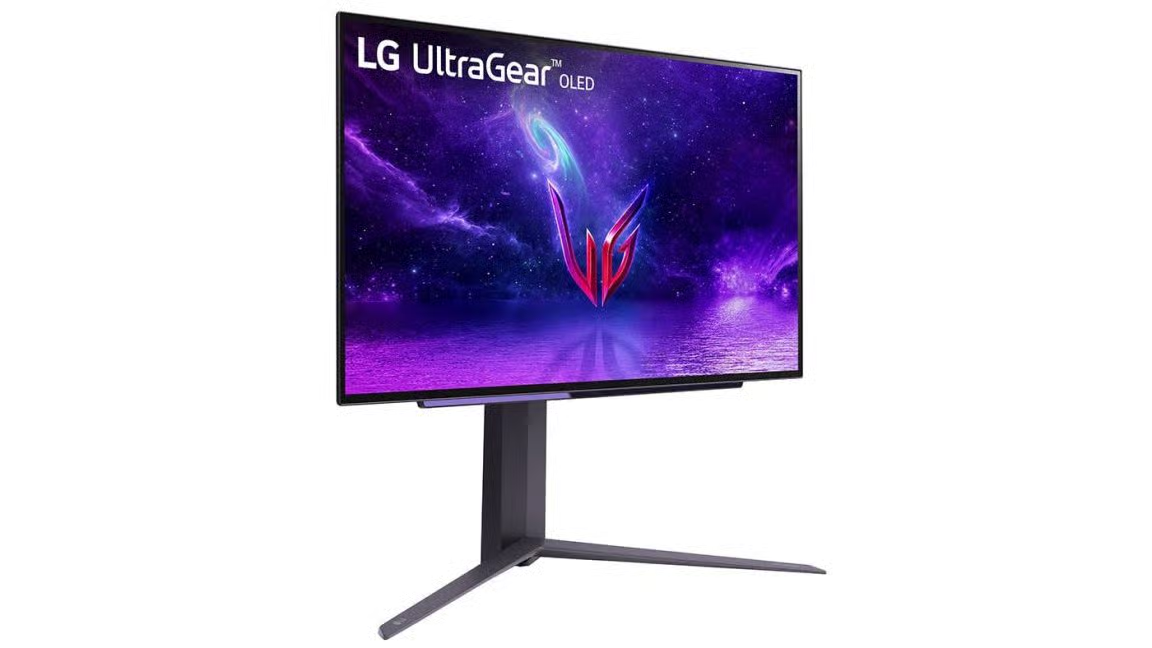 Ars TechnicaMicrosoft responds to LG monitors installing McAfee ads on WindowsApp is installed through Windows Update when certain LG monitors connect to a PC.