
Shoshana 🏳️⚧️
Software engineer (C#, Kotlin, Golang, Java, Rust, Python), I really like housing, bikes, and nice communities 👩🏻🦰 ✡️ 🇮🇪 🇨🇦 🏳️🌈 🏳️⚧️
Lilah tov moon, lilah tov cow jumping over the moon 🌕 🐄
- Pronouns
- she/her
- Location
- Boston, Massachusetts
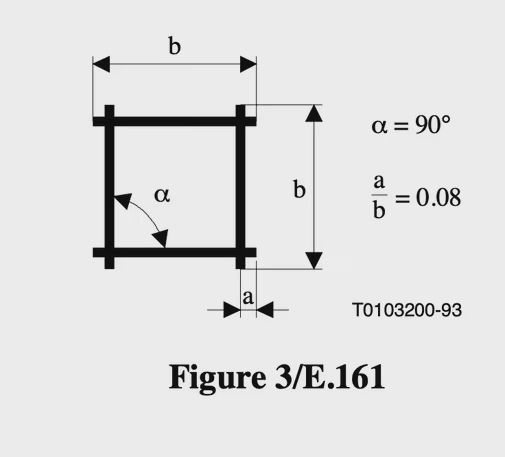
Square symbol with lines of equal length horizontal and vertical with overlaps at the ends
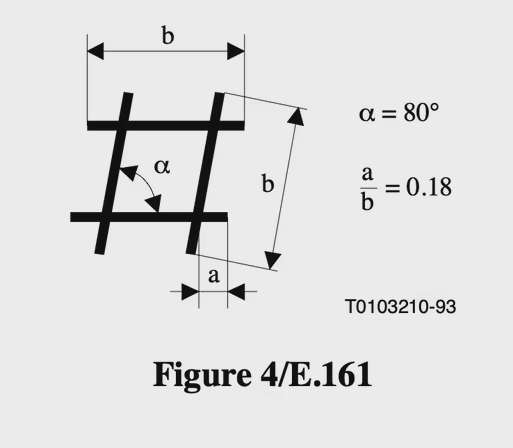
Alternative square symbol with the vertical lines at an 80 degree angle rather than 90 degree
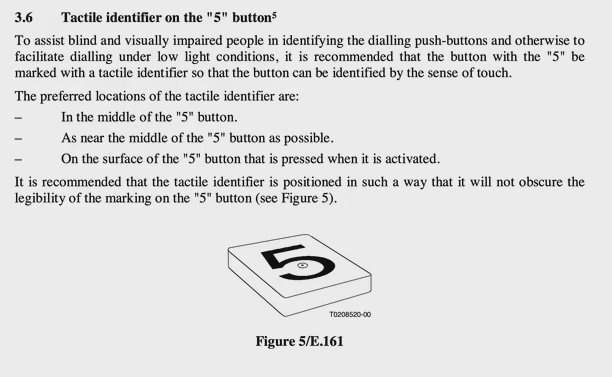
ITU recommendation for a tactile identifier on the "5" button
To assist blind and visually impaired people in identifying the dialling push-buttons and otherwise to facilitate dialling under low light conditions, it is recommended that the button with the "5" be marked with a tactile identifier so that the button can be identified by the sense of touch.
The preferred locations of the tactile identifier are:
– In the middle of the "5" button.
– As near the middle of the "5" button as possible.
– On the surface of the "5" button that is pressed when it is activated.
It is recommended that the tactile identifier is positioned in such a way that it will not obscure the legibility of the marking on the "5" button (see Figure 5).
It includes a figure of a "5" button with a raised tactile dot
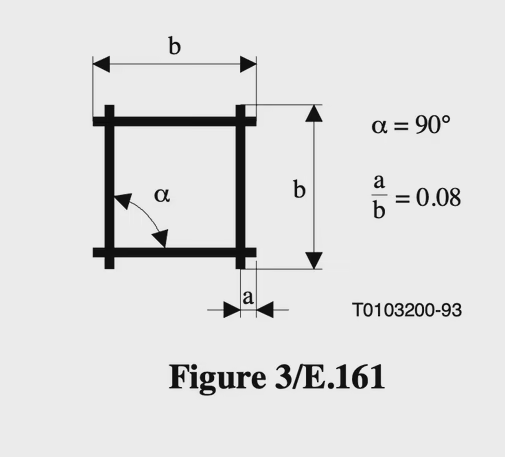
Square symbol with lines of equal length horizontal and vertical with overlaps at the ends
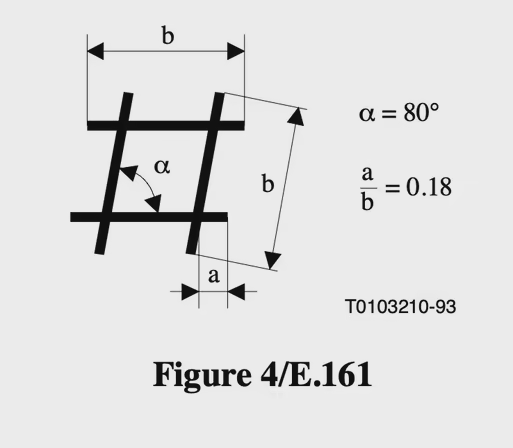
Alternative square symbol with the vertical lines at an 80 degree angle rather than 90 degree
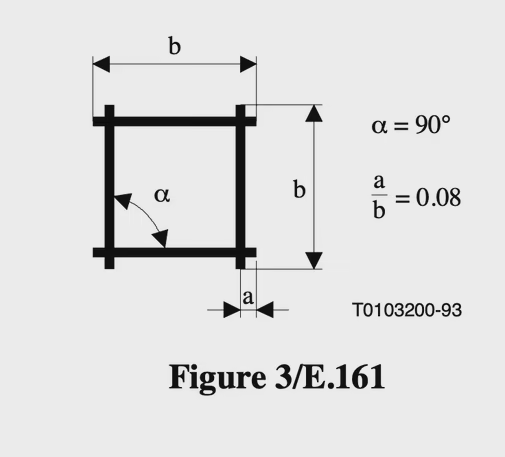
Square symbol with lines of equal length horizontal and vertical with overlaps at the ends
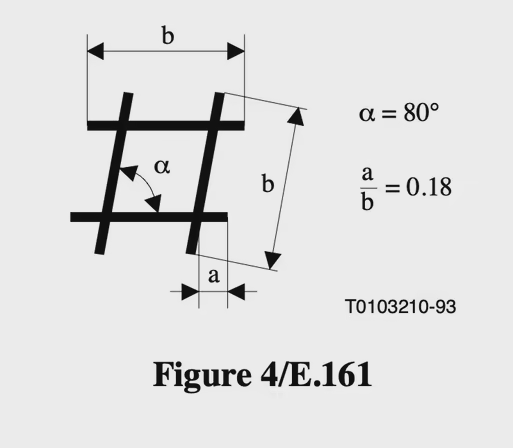
Alternative square symbol with the vertical lines at an 80 degree angle rather than 90 degree
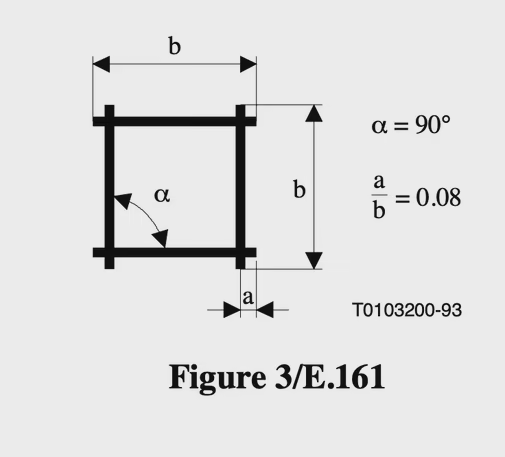
Square symbol with lines of equal length horizontal and vertical with overlaps at the ends
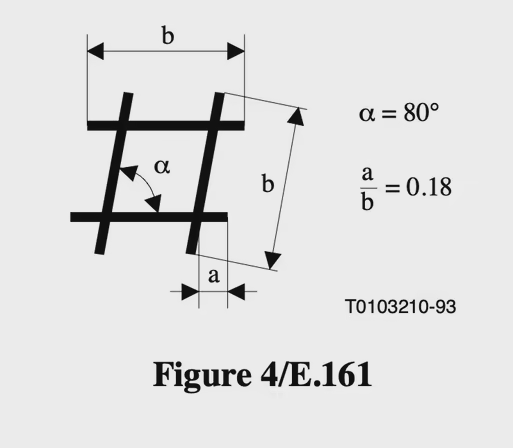
Alternative square symbol with the vertical lines at an 80 degree angle rather than 90 degree
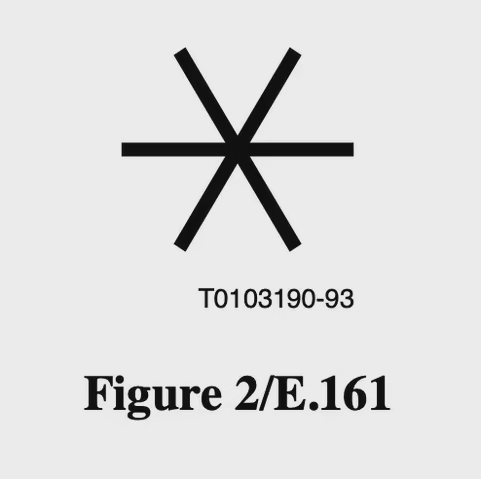
Figure 2/E.161 showing a sextile and not a different star shaped symbol