Imaginary_Stand4909

@Imaginary_Stand4909@lemmy.blahaj.zone · Joined ⁨Mar⁩ ⁨2025⁩

Replying to @⁨abrake@lemmy.world⁩

I just bought from Bandcamp last Friday cause it was a special day where all proceeds go straight to the artist. I made a neat little list of artists I wanted to look for on there, and most were on Bandcamp. Of the ones that weren’t I think it was mostly because they’re Japanese, so there’s probably some other platform that they sell digital albums on rather than Bandcamp (Discogs was one of them).

You can download your music in multiple formats. The only thing that sucks is you have to download each album individually as far as I know. Some artists offer their entire discography in a bundle that’s cheaper than individually buying each album, but do check if some of those songs aren’t available for download anymore.

For me, I care most about having a working product and ethically consuming music as much as I can (afford lol), so the downloads and stuff is just quality of life things for me. I’m happy with my purchases and eagerly planning out a list of my next choices for September’s Bandcamp Friday.

Also you can apparently stream on Bandcamp but i just selfhost a Navidrome and use that.
Replying to @⁨xavier666@lemmy.umucat.day⁩

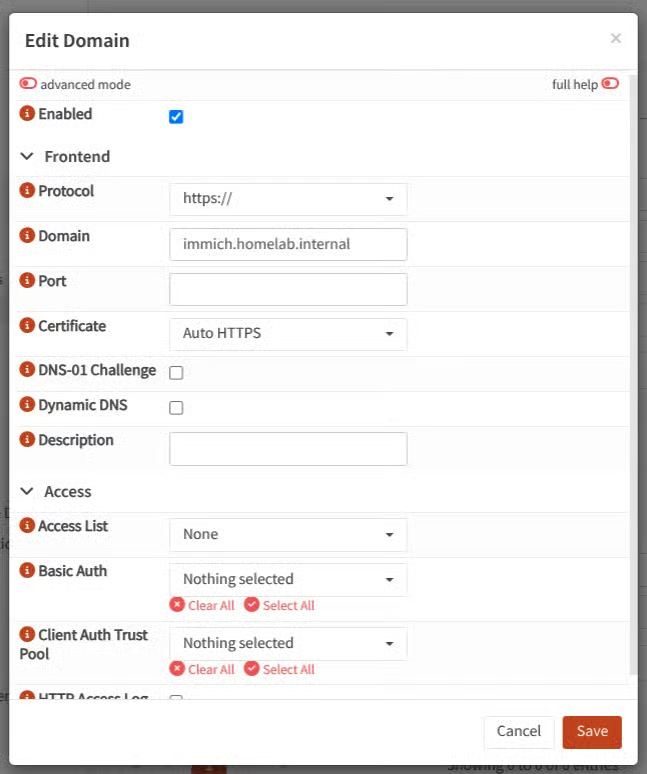
I’m not too worried about lack of tls/https for my websites rn, I just want to get working concept lol.

But thanks for the caddyfile, although I’m not sure I can use it since OPNsense seems to like to auto generate the config based on the settings in the UI.

I’ve narrowed down my issue a little more with the help of frongt@lemmy.zip, and I’ve established that:

Pinging immich.homelab.internal gets a response from the correct IP. When typing immich.homelab.internal or immich.homelab.internal:2283 in browser I get an ERR_NAME_NOT_RESOLVED page.

If I curl immich.homelab.internal, I get: curl: (7) Failed to connect to immich.homelab.internal port 80 after 6 ms: Could not connect to server

If I curl immich.homelab.internal:2283, I do get the html of the site at least.

Through some digging through other people’s forum posts, I made sure to turn off https redirects (auto_https disable_redirects).

I definitely know that it’s failing because Caddy isn’t redirecting my services from port 80 to their upstream port (2283, 8006, etc.), but I don’t know why it won’t redirect, even when looking at logs…

Replying to @⁨frongt@lemmy.zip⁩

Sorry, I didn’t specify in my original post but I did plan to use .internal for my domains. And I never planned to open my ports on my firewall either so that’s good to know. But I’m still having issues despite this…

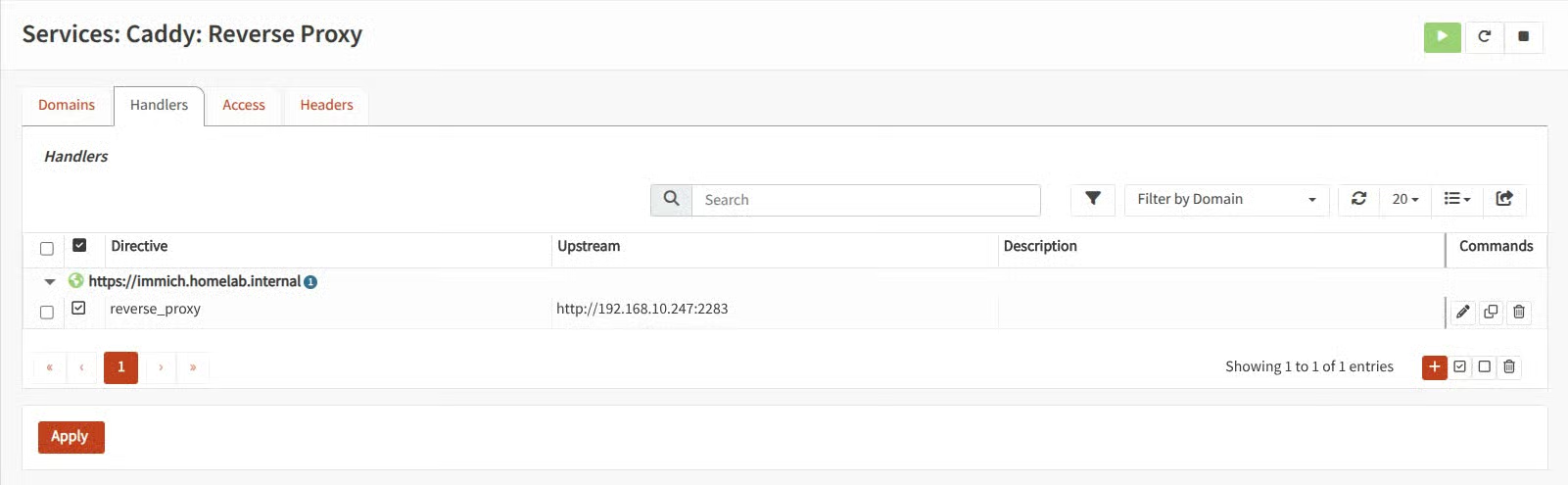
Here’s my Caddyfile:

# DO NOT EDIT THIS FILE -- OPNsense auto-generated file


# caddy_user=root

# Global Options
{
	log {
		output net unixgram//var/run/caddy/log.sock {
		}
		format json {
			time_format rfc3339
		}
	}

	servers {
		protocols h1 h2
	}

	email [redacted]
	grace_period 10s
	skip_install_trust
	import /usr/local/etc/caddy/caddy.d/*.global
}

# Reverse Proxy Configuration


immich.homelab.internal {
	handle {
		reverse_proxy 192.168.10.247:2283 {
		}
	}
}

import /usr/local/etc/caddy/caddy.d/*.conf

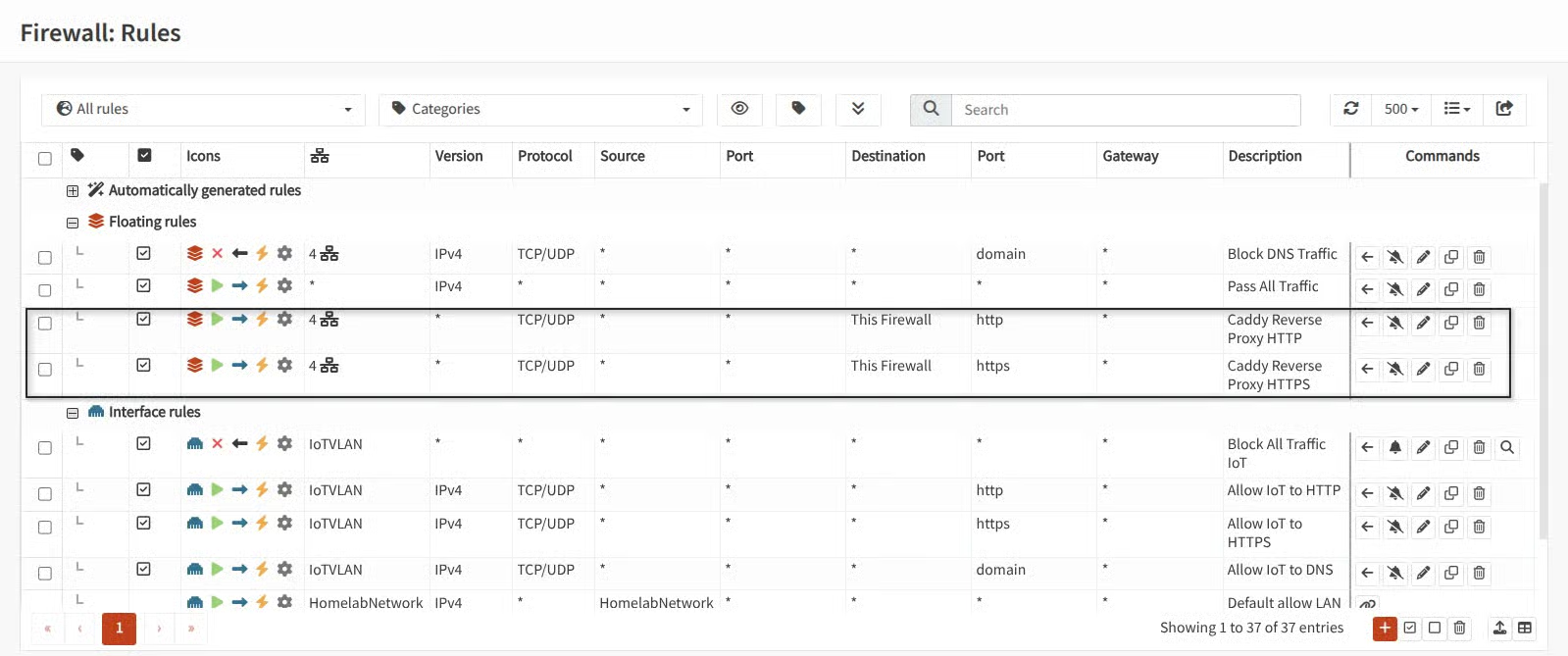
Here’s my firewall config (I allowed any source IP to Destination “This Firewall” & port 443/80 on my LAN/VLANs):

Here’s my Caddy configs:

And I did make a wildcard domain override (*.homelab.internal) in Unbound with this config:

Host = *
Domain = homelab.internal
Type = IPv4
IP = 192.168.10.247

I can ping my server’s IP, nslookup the homelab.internal domain, and ping homelab.internal. So the regular DNS entry is working, I just can’t get my reverse proxy to work…

posted in Selfhosted

OPNSense Reverse Proxies and Giving Internal Services Domain Names?

Heya, I just wanted to post here before doing something that puts my stuff out on the internet for anyone to see 😅

So I have a basic, still in-configuration homelab network going on. It’s Modem --> OPNsense router --> Ubiquiti switch --> Openwrt AP. DNS and DHCP (via Dnsmasq) are working right now, each VLAN (Home Devices, IoT, and Guest) can access the internet. But I’m still tinkering and doing firewall stuff, so sometimes I reactivate the ISP router and switch back to that until I have everything perfect enough to not bother my family

I have a Proxmox homelab that I’ve been running services like Jellyfin and Immich in a Docker Debian VM for a few months now, but I was getting tired of typing out IPs and remembering port nums, especially after bouncing between my router and the original ISP router whenever I’m having network issues. So I wanted to finally map those IPs to human-friendly domains. So like, 192.168.10.247:8096 --> jellyfin.example.com, 192.168.10.247:2283 --> immich.example.com, etc.

I quickly learned that DNS services like Unbound and Dnsmasq do what they say on the tin, DNS only, so I can’t do a override to map ports to a domain, as they can only do IPs. My research led me to reverse proxies, and people said Caddy was simple on OPNsense, so I installed that and followed the official guide/documentation. But then I ran into the issue of needing the domain to be externally resolveable. Which then led me to realizing I need to use some sort of CA.

I know Let’s Encrypt does it for free, plus the guide mentions them as a default so why not? Except I still need an actual external domain so… Cloudflare? DuckDNS? Someone else? I’m so lost…

The biggest concern of mine right now is, if I set up a reverse proxy, does that mean my services are externally accessible? I was using Tailscale so I could avoid that, especially since I know services like Jellyfin have had serious vulnerabilities, and everyone says it’s a good rule of thumb to just not expose services. But how do I map ip + port #s to a domain on OPNsense?

docs.opnsense.orgCaddy: Reverse Proxy — OPNsense documentation

Replying to @⁨NerdsGonnaNerd@sh.itjust.works⁩

But I think I have to add, that I use the openwrt machine just as dumb access point behind a opnsense box.

Ooh, can you go more into that? i have Opnsense as my router and this AP is just supposed to act as a WAP. I was struggling to figure out how to have it pull dhcp from the router and not to configure it on the WAP itself. That and DNS too, if the DNS isn’t configured on the interface then I get no internet access.

Replying to @⁨quick_snail@feddit.nl⁩

What hardware do you recommend?

Tbh I just picked something that was in their list of supported hardware that also operated with the Wifi bands I needed and had a good amount of Flash and RAM. Try to take the time to research what wifi drivers suck, such as Broadcomm. Mine is a Qualcomm, I got the Linksys MX5300 Velop Mesh, and now that I got my 3 wifi VLANs set it seems pretty nice. Haven’t gotten to use it much though so we’ll see, but I’m excited.

I do recommend checking how many radios it has because I was maybe considering having my Smart TV on it’s own VLAN but I don’t have enough radios for that. Maybe I’ll put it on the IoT VLAN.

Are there any that are smart enough for a SMB setting where the APs all scan other networks and then talk to each other and set their own channels and power levels to optimize WiFi traffic with minimal channel or power overlap?

Sorry, I don’t know anything about this 😅 You’d have to research this.

toh.openwrt.orgOpenWrt Table of Hardware - Device Compatibility GuideComprehensive list of devices compatible with OpenWrt firmware. Find the perfect hardware for your open-source networking project.

posted in Selfhosted

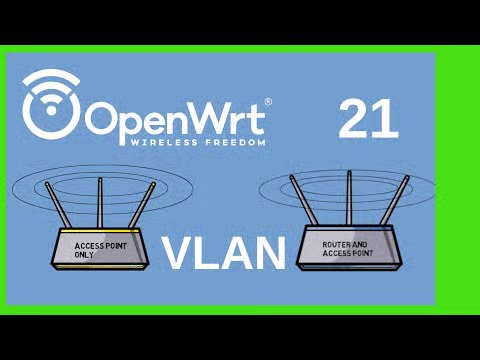
FANTASTIC video on configuring Openwrt VLANs

Just wanted to share this Youtube video (Invidious link here) that explains how to configure Openwrt VLANs for your Wifi network! I was struggling for hours today trying to configure VLANs on my Openwrt AP when I found an old Reddit thread linking to this guy’s channel!

He seems to have a whole series on Openwrt, so if you need a complete beginner guide he sounds great!

youtu.be/qeuZqRqH-ug&list=PLZXNpqQDHIJrHBhEKfhPa424bBaCRFRyn
YouTubeVLANs in OpenWrt 21by OneMarcFifty

Replying to @⁨rf_@lemmy.world⁩

Like every trend does on social media, it’s devolved into another consumerist “spend money” issue, but on Tiktok and other places there’s a trend of “going analog” and returning to old tech. Okay not “full analog” as some people were using mp3 players and 3DS as a way of returning to tech that doesn’t talk you, and those are obv digital and not analog, but that’s the overall spirit of the trend.

The issue is people are going out and buying shit instead of finding what they already have and repurposing it. Use an old phone without a sim card as an mp3 player, or get one used from a friend or a slightly more ethical marketplace rather than a brand new thing you might not use.

Explain that StuffAnalog and digital technology - What's the difference?A simple explanation of the difference between analog and digital technology.