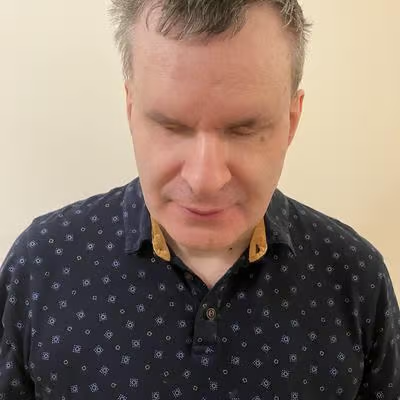
My profession photo taken several years ago. I'm wearing a light sweater there, I'm slightly smiling.

André Polykanine

@menelion@caneandable.social · Joined ⁨Aug⁩ ⁨2026⁩

A married and happy geek from Strasbourg, France.
Backend software engineer and accessibility specialist with 20 years of experience.
I live with my wife and our two cats, and I believe cats are the cutest, yet the most independent companions.
Pagan, worshiper of Scandinavian gods.
This account is multilingual, posts may contain strong language.
No alt text, no boost.
AI is our assistant, not our replacement, not our enemy.
Pro-European, pro-American, leaning to the right.
Opinions are my own.

Spoken languages
English, Français, Українська, Русский, Deutsch

André Polykanine boosted

#mastohelp #Allemagne Masto, j'ai besoin de ta magie : Progéniture est en Abibac (il prépare le bac français et le bac allemand en //) et il doit partir 2 mois en échange en Allemagne à partir de mi-mai. Seul problème : il faut qu'on trouve le ou la correspondant·e nous-mêmes :-(
Alors, oui, je connais l'ofaj, les Sauzay et tout le toutim, et on va remplir les trouzmilles doc pour ça (au fait, on est Erasmus+), mais si tu connais qqn qui connait un ou une prof de français en lycée en Allemagne (niv 9, 10, 11, c'est cool) ou mieux, un ou une jeune qui veut venir en France chez nous (où on lae chouchoutera, of course), ping me please!

Le repouet fait tomber les frontières.

Yes, I knew it but it's a great suggestion, thanks!

garo@garo@social.leons.cc

Did you know that, in Claude Code, you can reference files directly using at, followed by the file name? Claude Code will automatically insert the file into the model's context. This saves tokens because it does not need ot find it first. For example, you can do a prompt like this:

Read @ todo.md and tell me what is due next.

Remove the space between the at sign and todo.md, I only placed it so it doesn't make some weird mention out of it.
#claude #claudecode

André Polykanine boosted

SpeechCraft Studio is live! 🎉.
I'm excited to share SpeechCraft Studio, a desktop audio editor for Windows, built from the ground up with screen reader accessibility in mind. It's free, open-source (MIT), and comes as a single .exe — no installer needed.
Read the story:
tracysmith.co.za/introducing-s
Download it:
github.com/trasles16-ux/speech
I'd love to hear what you think. And if you'd like to contribute, the repo is open to pull requests. #Accessibility #OpenSource #AudioEditing #NVDA #AIDesktopApp

www.tracysmith.co.za/introducing-speechcraft-studio/

André Polykanine boosted

Replying to @⁨Robinzz3@aus.social⁩

> I WAS USING THE COMPUTER AT THE SPEED OF SPEECH, NOT AT THE SPEED OF MY DISABILITY.

oh, man.. It amazes me how many people don't have vision (not literally). Even StarTrek in 70 already was onto something. "Computer, do X". And we finally almost there! You finally can have computer w/out keyboard, just tell it in plain human language what you want it to do. And then we have many haters, who so afraid to lose their only thing they can do in life, I mean boring job that you easily can replace by automation

AI *is* the new wheel.. new steam engine.. embrace for earth shaking changes. New power tool is already useful for helping people to see and describe, to translate!! I admit, sometimes it does not perfect job, but now you can communicate to people in many, many languages w/out even learning or booking a real human translator, just use this amazing thing

Sad part is competition between all countries, because we still fighting for shitty reasons. Imagine if all this effort went into one single development for humanity

@Robinzz3

André Polykanine boosted

HAVE I BROKEN YOU? 💎

Something happened this morning that completely blew me away.

I’m disabled; typing is difficult. For years, the keyboard has determined how quickly I can participate online. I generally avoided social media because typing was so laboriously slow. It was simply easier not to participate.

Then something changed.

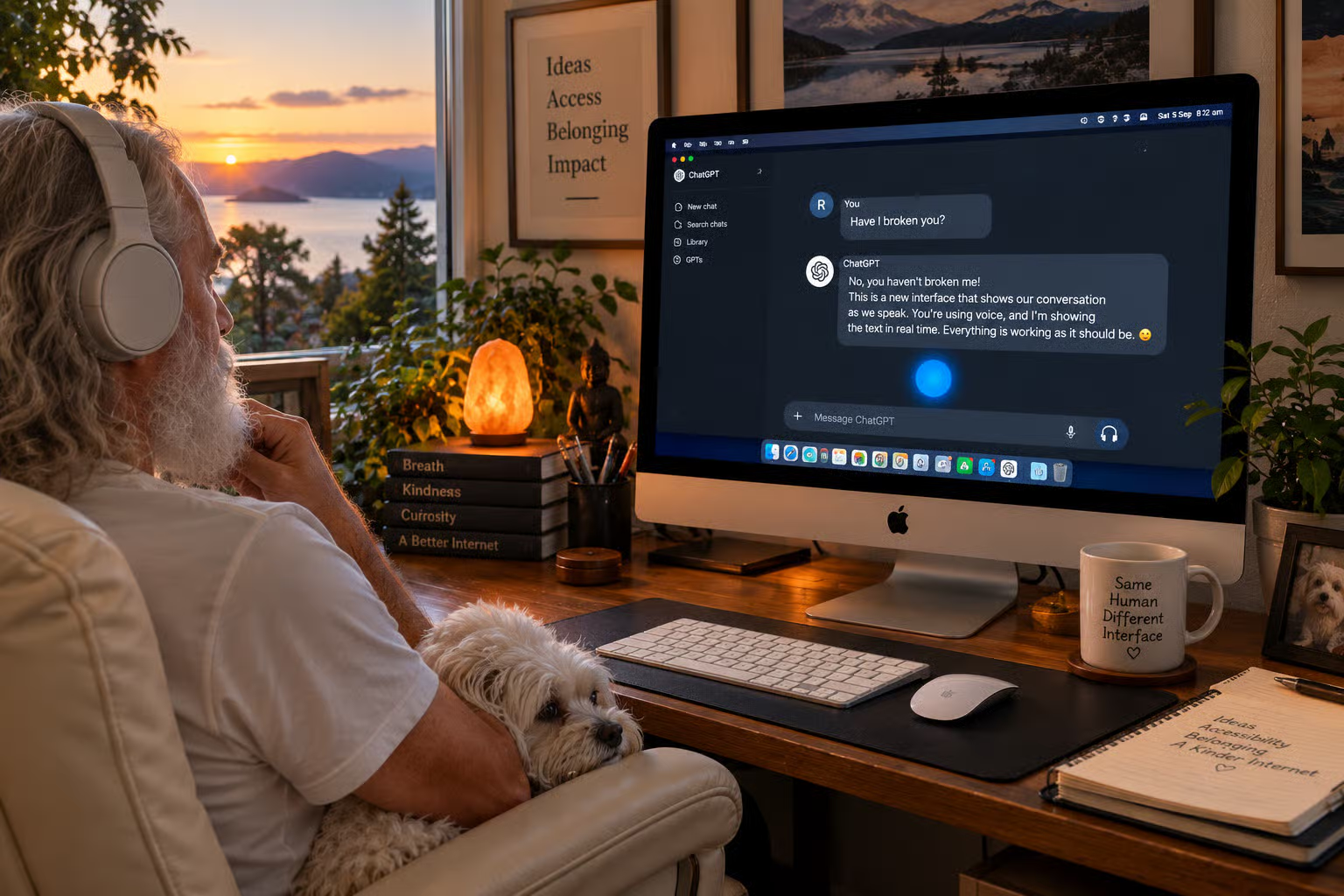
ChatGPT suddenly appeared in a whole new arrangement. The blue orb was now bouncing just above the text input field at the bottom of the screen, and I could also see the actual typed words GPT and I were speaking as we spoke them.

At first, I didn’t know what was happening and, thinking out loud, I actually said, “Have I broken you?”

I hadn’t, apparently.

Then GPT calmly explained the new interface to me as though it were a perfectly ordinary change. But for me, it was anything but. I was talking by voice and reading the conversation as streaming text, without typing anything.

Then the penny dropped.

I WAS USING THE COMPUTER AT THE SPEED OF SPEECH,
NOT AT THE SPEED OF MY DISABILITY.

That is an accessibility story worth talking about. For decades, humans have had to adapt to computers: keyboards, mice, menus and software. Now the computer is beginning to adapt to us.

For millions and millions of people with disabilities all around the world, AI isn’t just a clever chatbot or productivity tool. It can mean participating freely online without the machinery getting in the way.

Accessibility shouldn’t be a footnote in the AI story. It should be one of the headlines.

@3goodthings@DigitalCoup@meditation@economics_that_works@disability@pwd@joinin

#Accessibility #Disability #AssistiveTechnology #VoiceTechnology #AI #people #humanRights #leadership #OpenAI

A disabled older man with long white hair and beard sits at his desk wearing headphones, with a small white dog on his lap. His iMac shows a live ChatGPT voice conversation alongside the glowing blue voice orb. On screen he has asked, “Have I broken you?” ChatGPT replies that he hasn’t and explains that their spoken conversation is appearing as text in real time.
ALT

#Microsoft keeps breaking #Accessibility in #windowsForms. Many of you can notice that their menus are not native menus anymore, but I was today years old when I noticed that their list view is also something else. With NVDA it reads as "table" (which it should not), and only the first column is read. I checked, it ships in SIC! and nobody told me (probably because nobody knew there are other columns). I'm crafting a solution right now, but it's a crutch of course. I don't want to go away from WinForms because other #CSharp solutions are even worse accessibility-wise. It seems, the only viable way to cook apps is wxDragon now, but it's Rust which… is syntactically very specific, at least for me. Sigh. #Blind

André Polykanine boosted

A recent Microsoft update is changing how accessibility support is enabled for applications that use certain Microsoft web technologies. As a result, JAWS may not receive the information it needs from these applications, causing some features to provide no speech or braille. We are working directly with Microsoft to investigate the issue and determine the appropriate fix.

Please read this article for more information: training.vispero.com/temporary

training.vispero.com/temporary-issue-affecting-some-jaws-and-fusion-features/

André Polykanine boosted

Replying to @⁨nolan@gts.thewordnerd.info⁩

Followup: seems like this may be resolved, I guess the reviewer thought I didn't understand what I was doing at all, which was not the case. I'm just so exhausted by it all sometimes. Either deal with the inconveniences of an inaccessible world, or learn every skill and every technology so you can just magically fix it with your own brain. Gods forbid you guide an LLM with your lived, learned experience and then judge its outputs as best you can. What am I supposed to do otherwise? Just live under a rock and take what the world gives me? Make a bunch of blindness-specific things because the world leaves us behind? I don't see a workable way forward unless the world as a whole cares more across the board, and I don't see that happening anytime soon. I literally spent a few hours on Monday fixing a bunch of accessibility issues in another app I want to use, and that could easily become a full-time job if I let it, which I obviously can't.

André Polykanine boosted

Hello friends! Γεια σας! 😊 I'm from Hungary. I've been learning Greek for three and a half months. I really love the Greek language, culture, and music, and honestly, everything related to Greece. I first wanted to start learning Greek when I was about 13, but then a lot of things held me back, including the people around me telling me that it was useless. 😑 It is not, of course! But now, 11 years later, I finally decided to go for it. I found a wonderful teacher, Vasilis, and we've been learning with great enthusiasm ever since. However, I'd also like to practice what I'm learning. Is there anyone Greek here who would like to practice with me? In return, I can offer my help with Hungarian, since it's my native language. 😊 I don't know if such a thing exists here on Mastodon, but well, it worths a try.
#greek #languages #languageexchange #greece #culture #learning

André Polykanine boosted

For anyone who uses 1Password, and who has read about Universal Sign In. I've just been offered it and it does seem to be accessible. I certainly cannot see any issues using it with Windows and JAWS.
As I understand it, when you arrive at a website’s login page, 1Password displays one prompt near the top of it. That prompt gathers together the different ways you might be able to sign in:

A username and password
A passkey
A password followed by a one-time verification code
“Sign in with Google,” Microsoft, Apple or another provider
A company’s single sign-on system

You choose the appropriate account, and 1Password attempts to complete the whole login process—including moving through multi-page login forms and submitting the information.

Suppose you visit a website where you originally registered using “Sign in with Google.”

Previously, you might have needed to remember that you used Google, find the relevant button and then choose the correct Google account.

With Universal Sign-In, 1Password can present that saved method in its own prompt. You select the account and it presses the appropriate website button and handles the subsequent steps.

For an ordinary password-based account, the difference is less dramatic: 1Password fills and submits the username and password much as it did before, but presents the process through the same Universal Sign-In prompt.

What is genuinely new?

There are three principal improvements:

One consistent interface: passwords, passkeys and third-party sign-in methods are presented together.
Better recognition of login pages: 1Password has improved the way its browser extension identifies username fields, password fields and buttons such as “Sign in with Google.”
Better login addresses: if your saved item contains only a website’s homepage, 1Password may now know the address of its actual login page. It currently has this information for more than a thousand popular websites.

If you generally use conventional usernames and passwords and are already comfortable activating 1Password from the keyboard, this is chiefly a change to the interface rather than a major new capability.

It will matter more to people who:

Use several accounts on the same site
Frequently use passkeys
Cannot remember whether they selected Google, Microsoft or Apple when registering
Encounter complicated login forms spread across several pages
Want 1Password to locate the correct login page automatically

Your existing vault items do not need converting or resaving. The feature is included in the latest 1Password browser extension for Chrome, Edge, Firefox and Safari.